
Bookings & services
Make it easy to choose a time.
Show services, availability and deposit details in one place. Keep each booking request connected to the customer and payment.

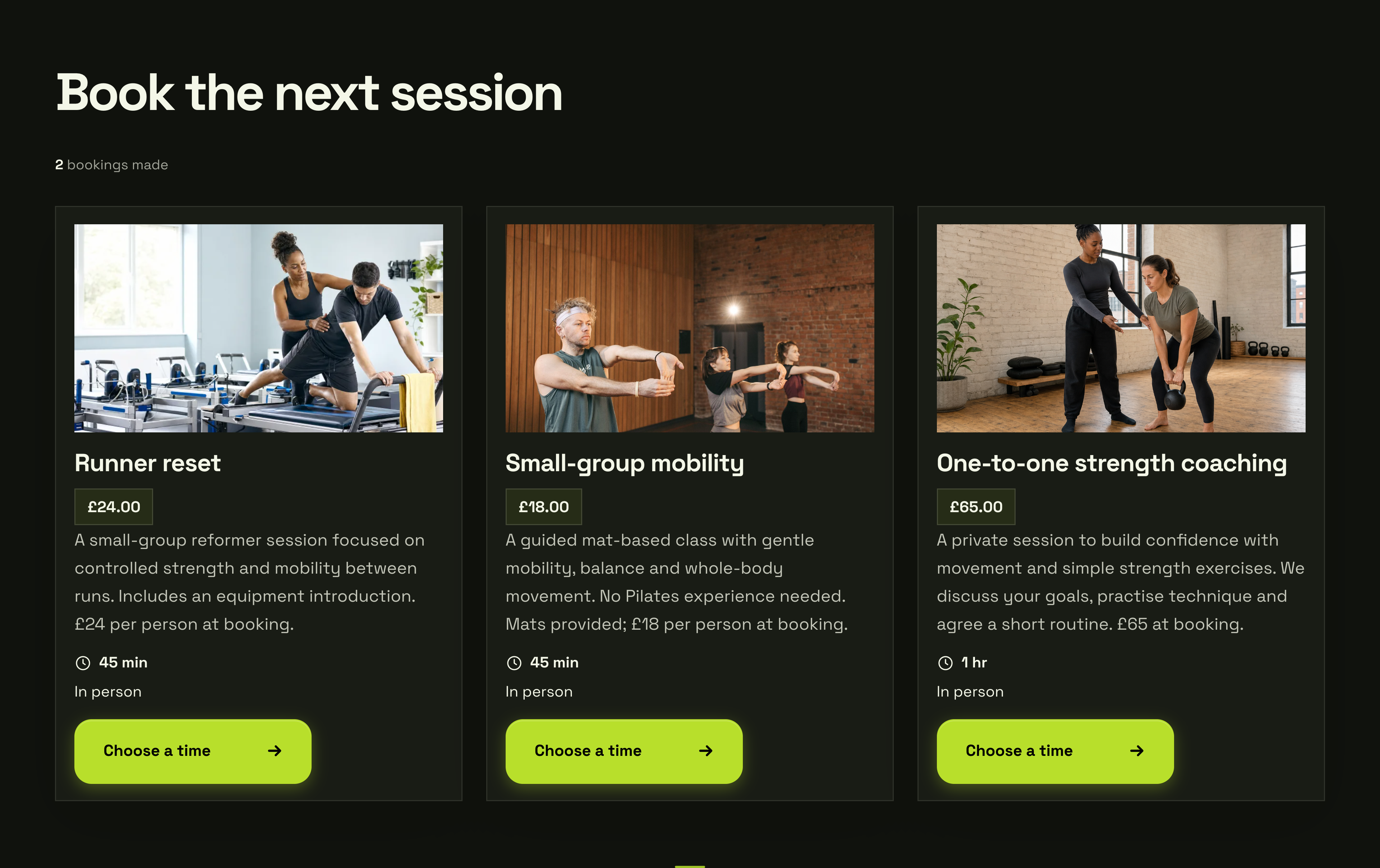
01 / THE OFFER YOUR CUSTOMER SEES
The service. The price. A way to book.
The Runner reset offer shows the £24 price, 45-minute duration and Choose a time button. Customers can understand the session before opening the booking flow.
Form Pilates · Actual offer section · Demonstration business
Then see how you manage it ↓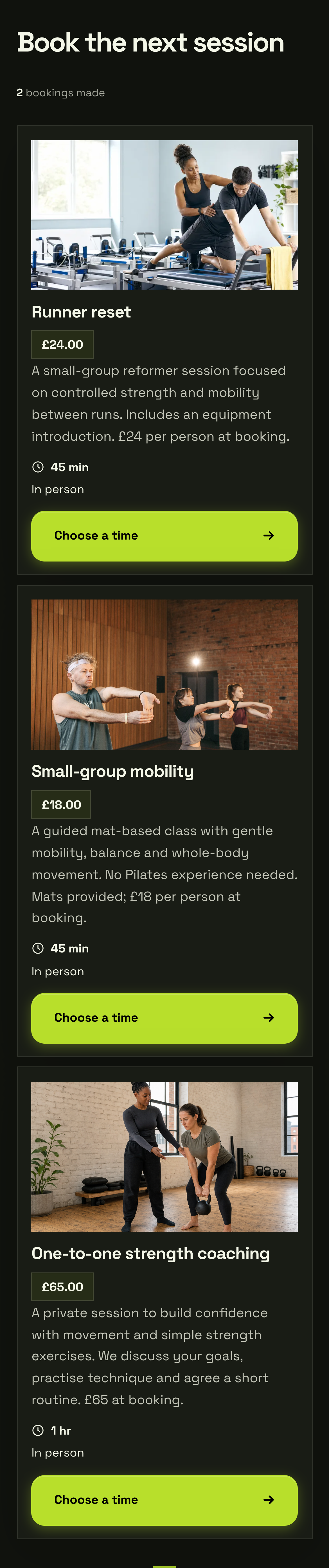
02 / YOUR DASHBOARD
Your bookings, ready to manage.
01
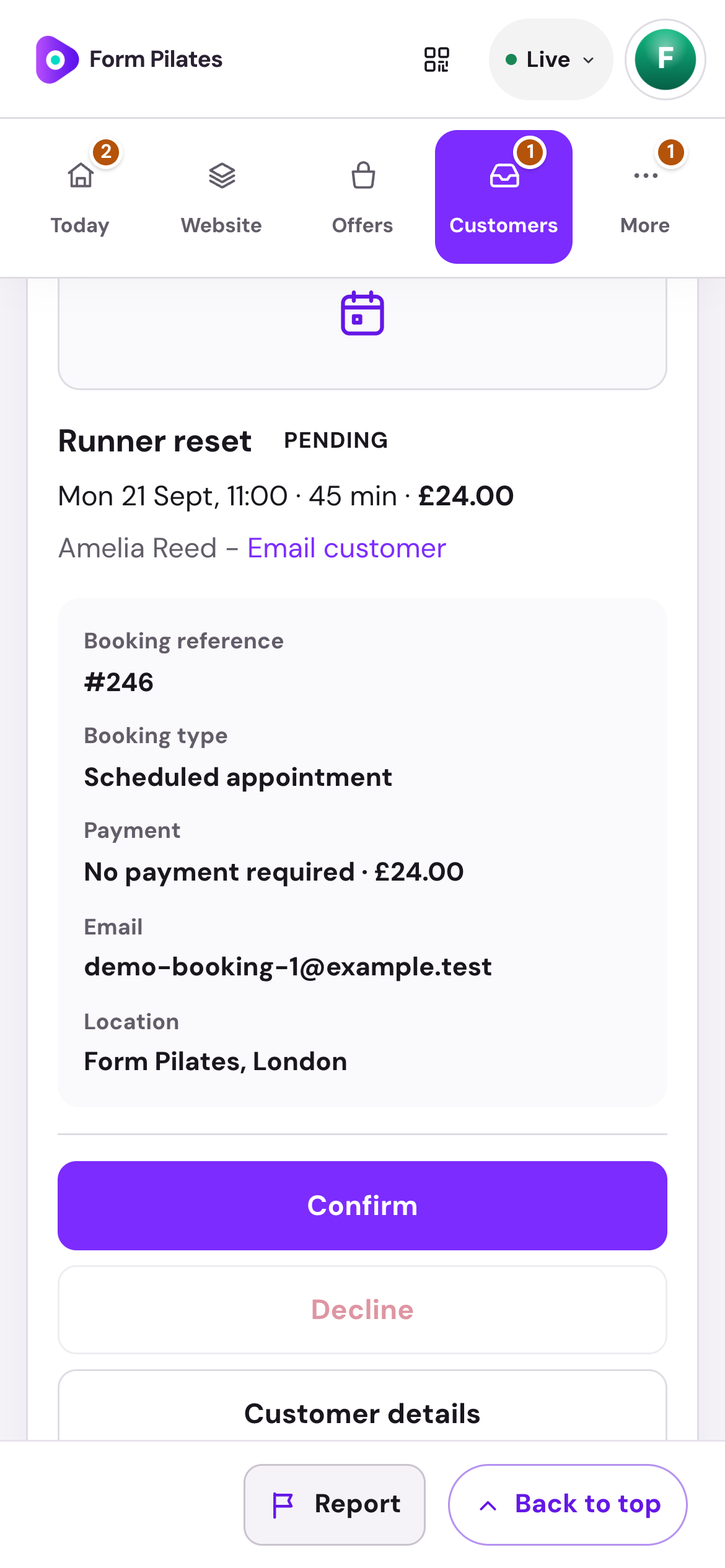
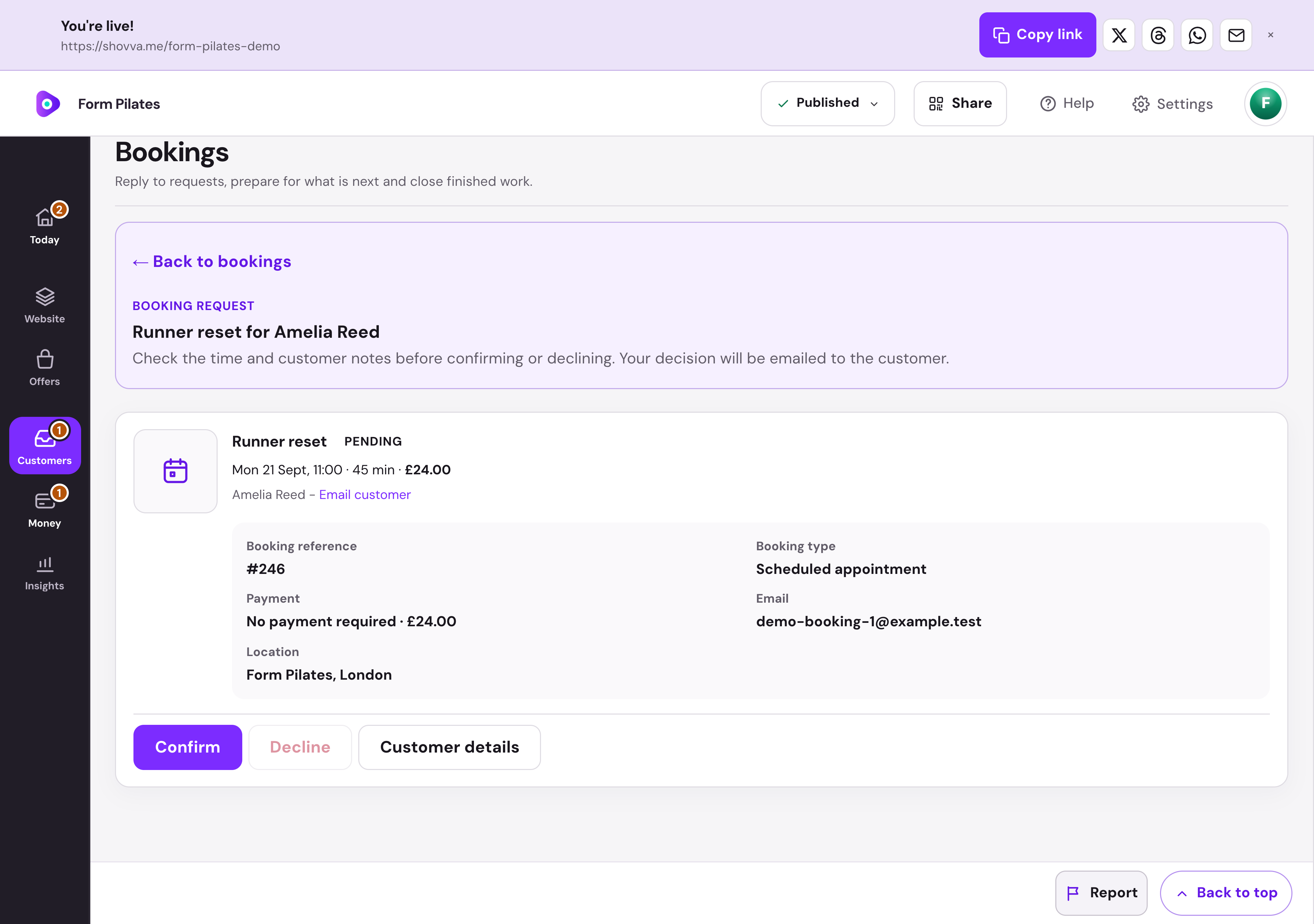
The appointment. The person. The next step.
Review the time, service, price and customer details before accepting a request. Confirmation and decline controls are part of the booking record.
Form Pilates · Booking management · Real dashboard, fictional demo data
01
Make your booking hours work for you.
Choose working days, hours, preparation time and spaces per slot. Add time off and special dates as your schedule changes.
Form Pilates · Service availability · Real dashboard, fictional demo data
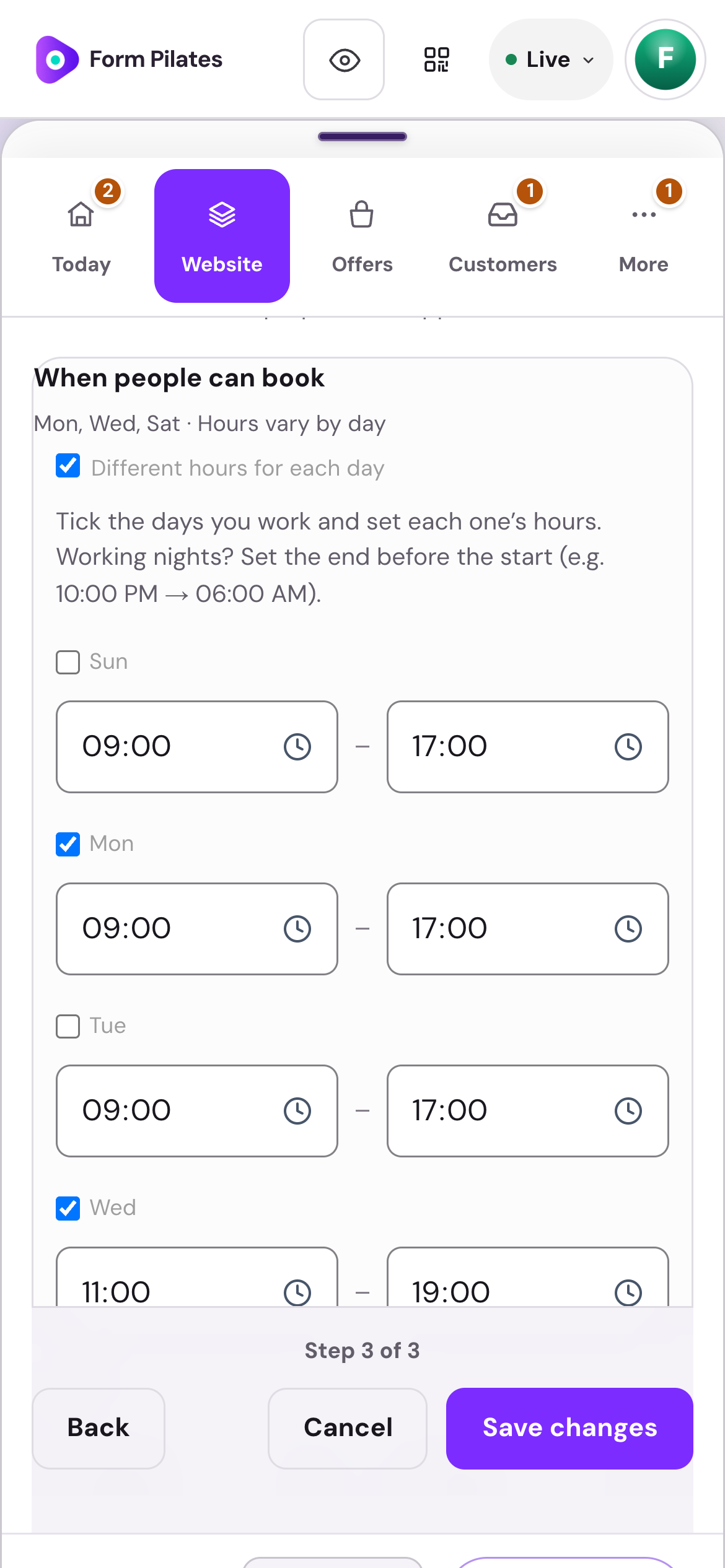
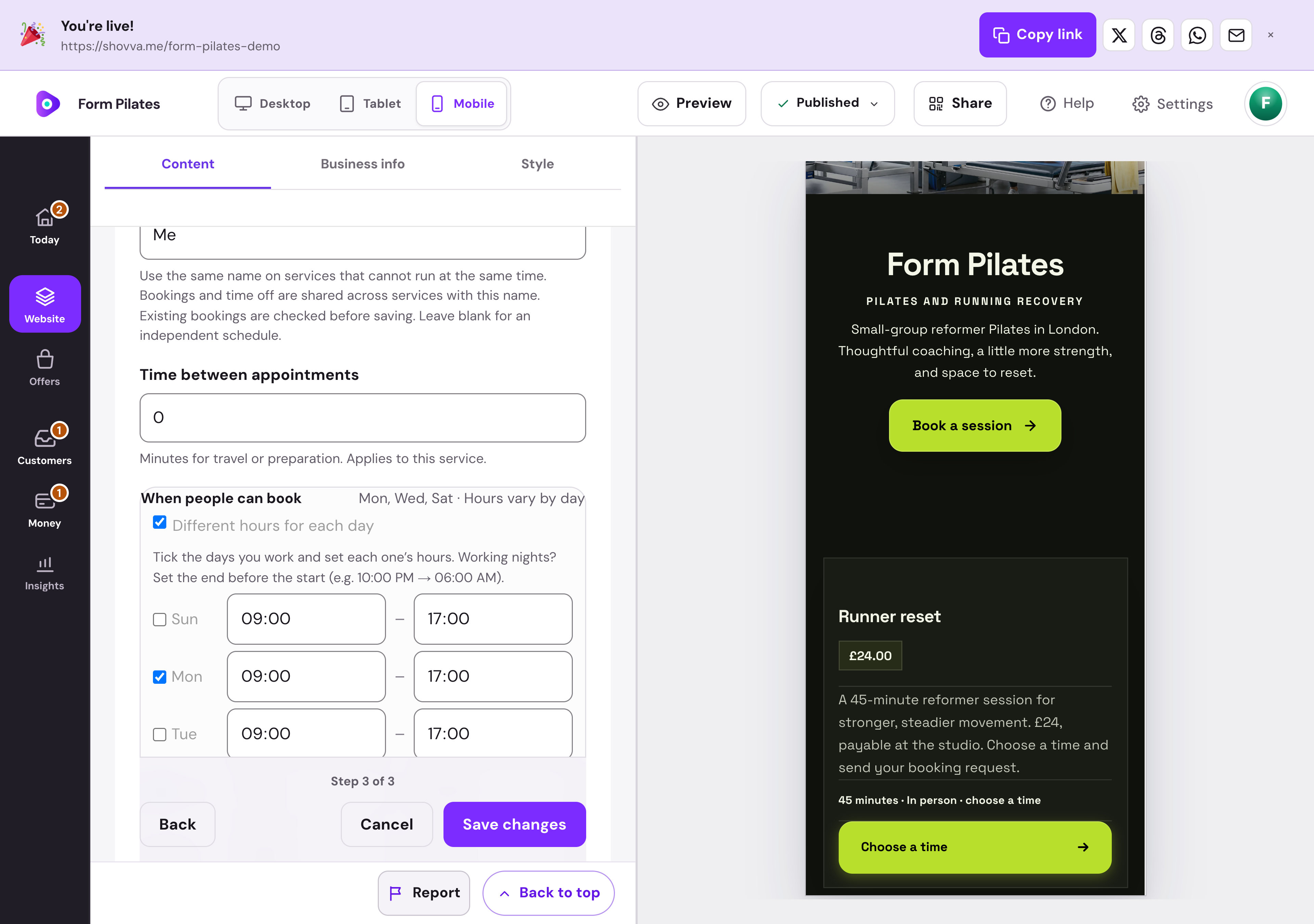
Real Shovva screens with fictional demonstration records.
The work behind the page
The whole appointment, connected.
A clear booking experience for your customer. The details you need to deliver it.
Describe the service
Set the service, price, duration, location and offer images.
Control availability
Manage booking hours and time off so customers see the times you offer.
Collect the request
Keep the chosen appointment and customer contact details together.
Confirm what is booked
Review and accept requests where required before treating them as confirmed.
Keep customers informed
Find booking details and resend the confirmation when needed.
Manage changes
Keep rescheduling, cancellations and refund requests connected to the booking.
A few useful answers
Good to know before you start.
Do I need a payment card to start?
No. You can create and publish a page on Free without adding a card for a Shovva subscription.
Can I start with just one offer?
Yes. Start with the page and customer action you need, then add more services, products or content later.
Can I change the design?
Yes. Edit your content, sections and style in your workspace. Ordinary saved edits to an already-live page can update it automatically.
How do payments work?
Connect Stripe when you are ready to take payments. Shovva platform fees depend on your plan; Stripe processing is separate.
Put your next offer in front of people.
Start with a free page. Add your real offer and publish when you are ready.