
Memberships
Give people a reason to come back.
Explain your member benefits, offer recurring plans and keep member access connected to payment.

01 / THE OFFER YOUR CUSTOMER SEES
The benefits. The recurring price. The join button.
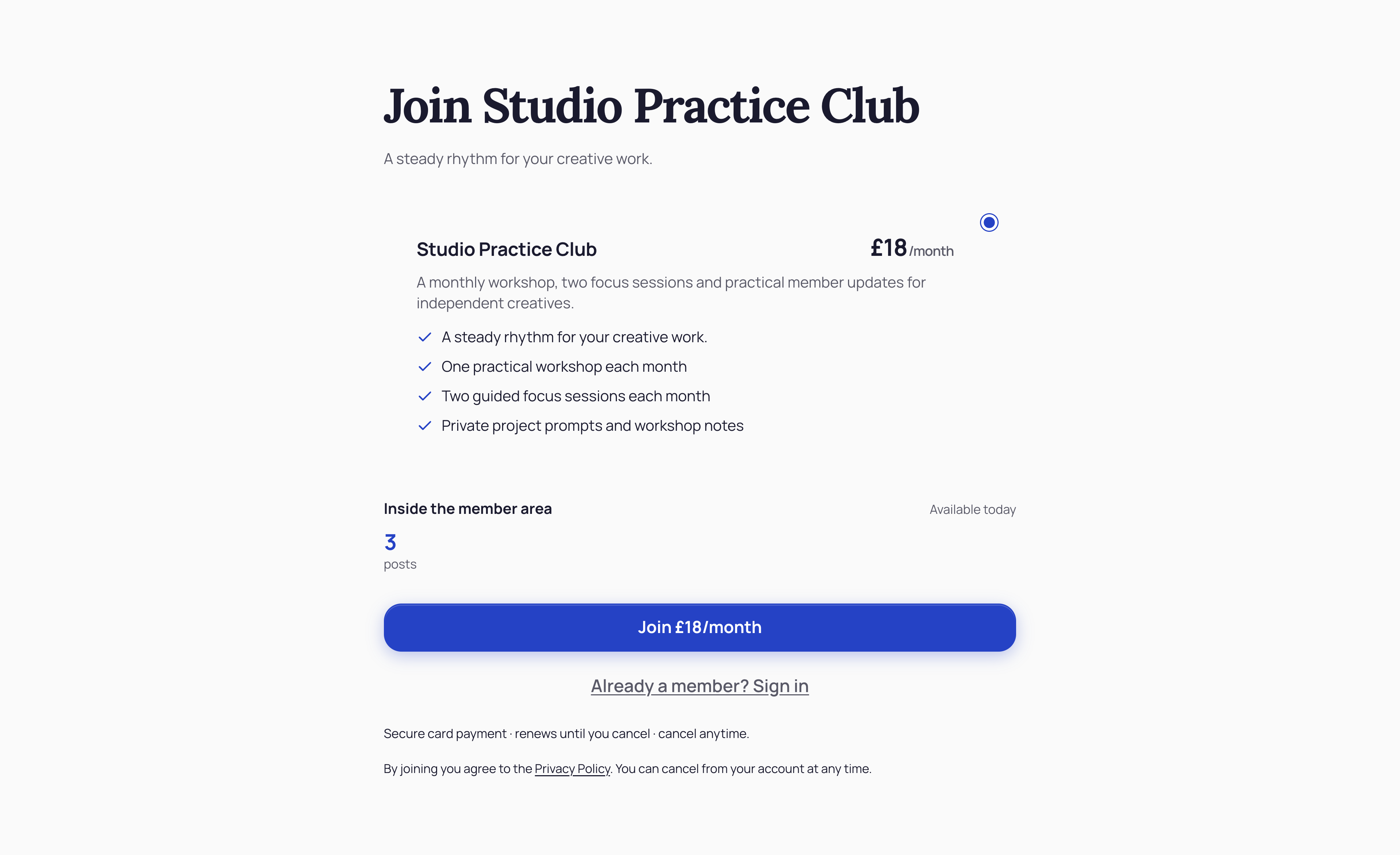
Show the actual £18 monthly plan, included benefits, member content and sign-in option. People can see what they are joining before taking the next step.
Studio Practice · Actual offer section · Demonstration business
Then see how you manage it ↓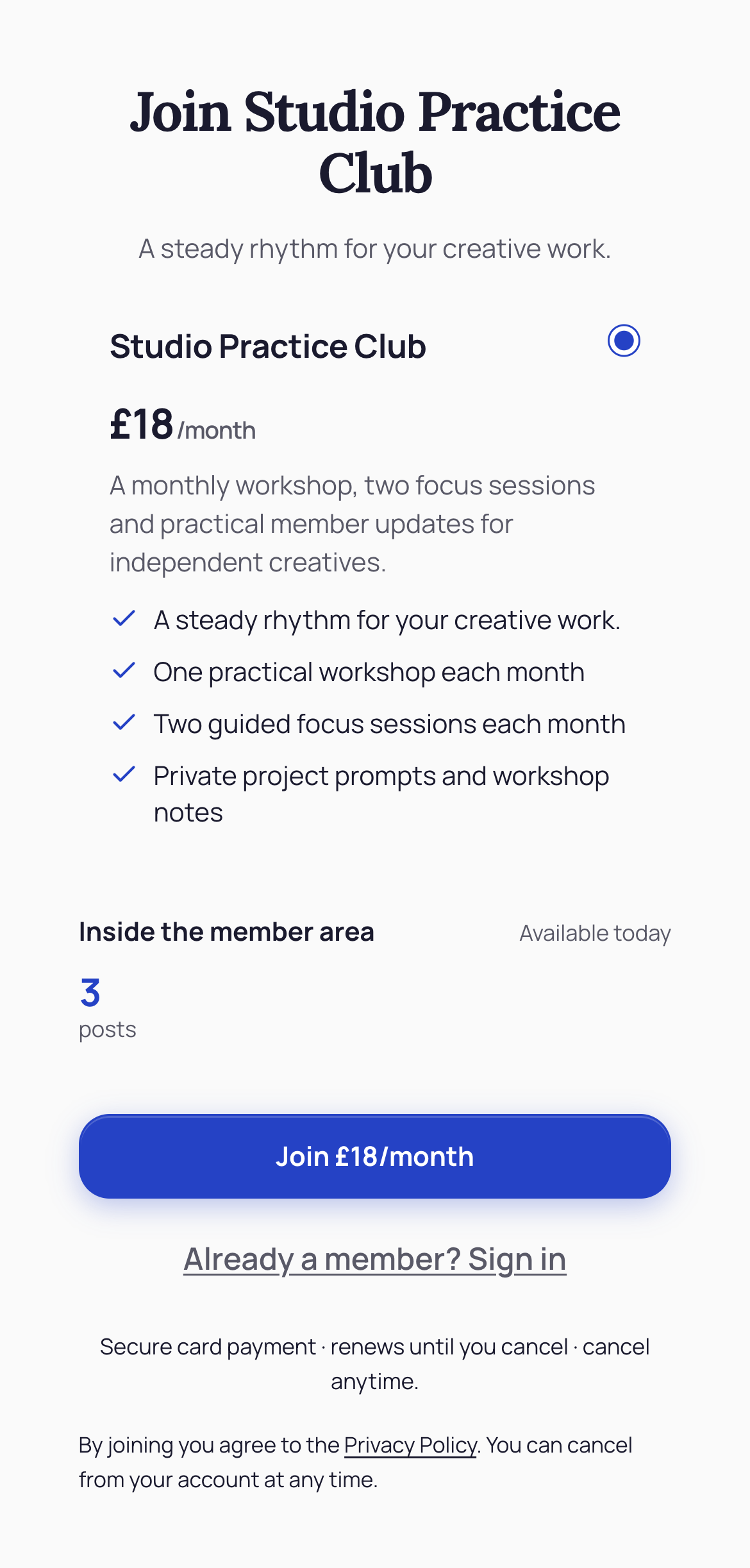
02 / YOUR DASHBOARD
A workspace for the ongoing relationship.
01
Look after the people who keep coming back.
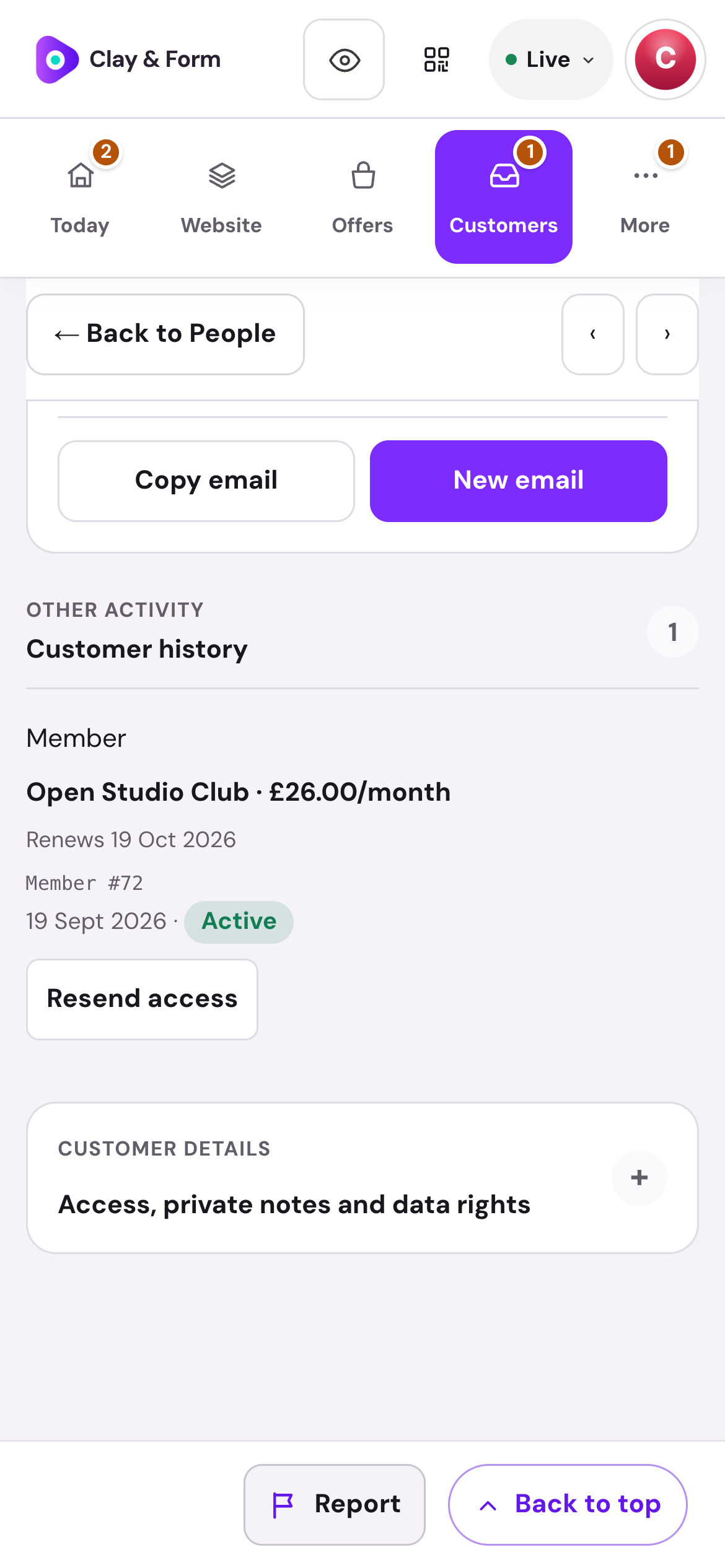
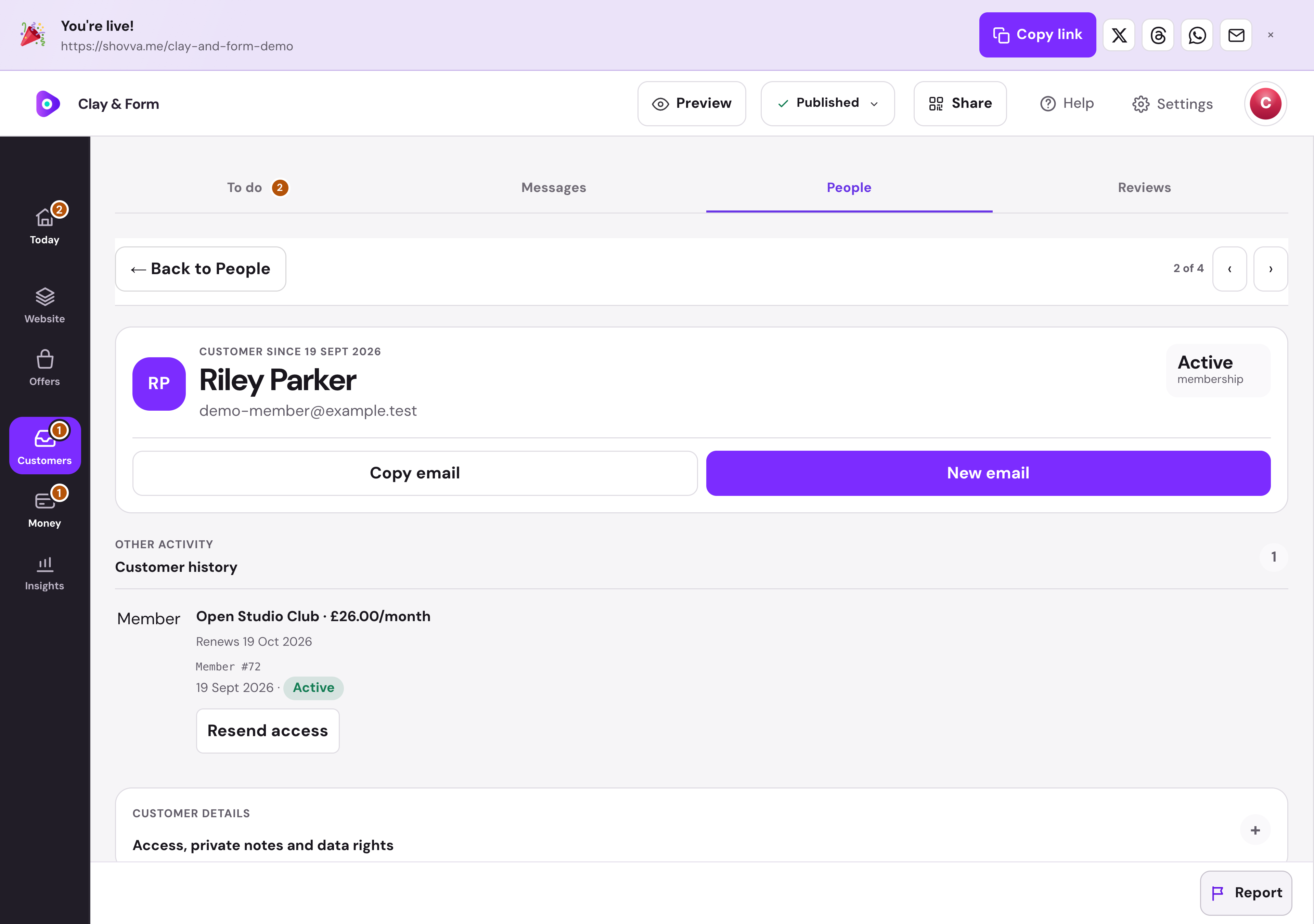
See membership status, the plan and renewal date in the customer record. Resend access when a member needs help returning.
Clay & Form · Member record · Real dashboard, fictional demo data
01
Make returning straightforward.
Choose whether to offer customer accounts and review request timing. Secure email links also give customers a way back to their purchases.
Mara Studio · Customer access settings · Real dashboard, fictional demo data
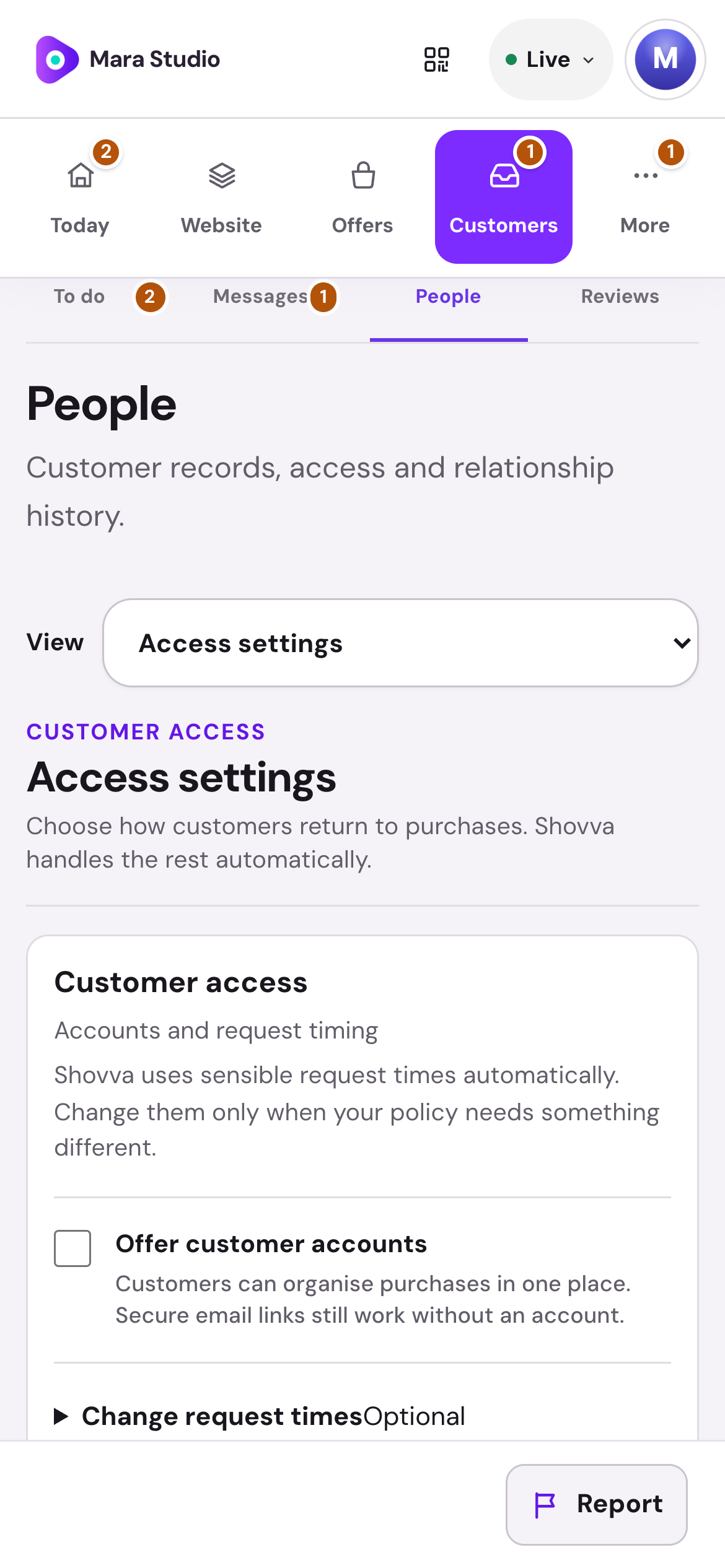
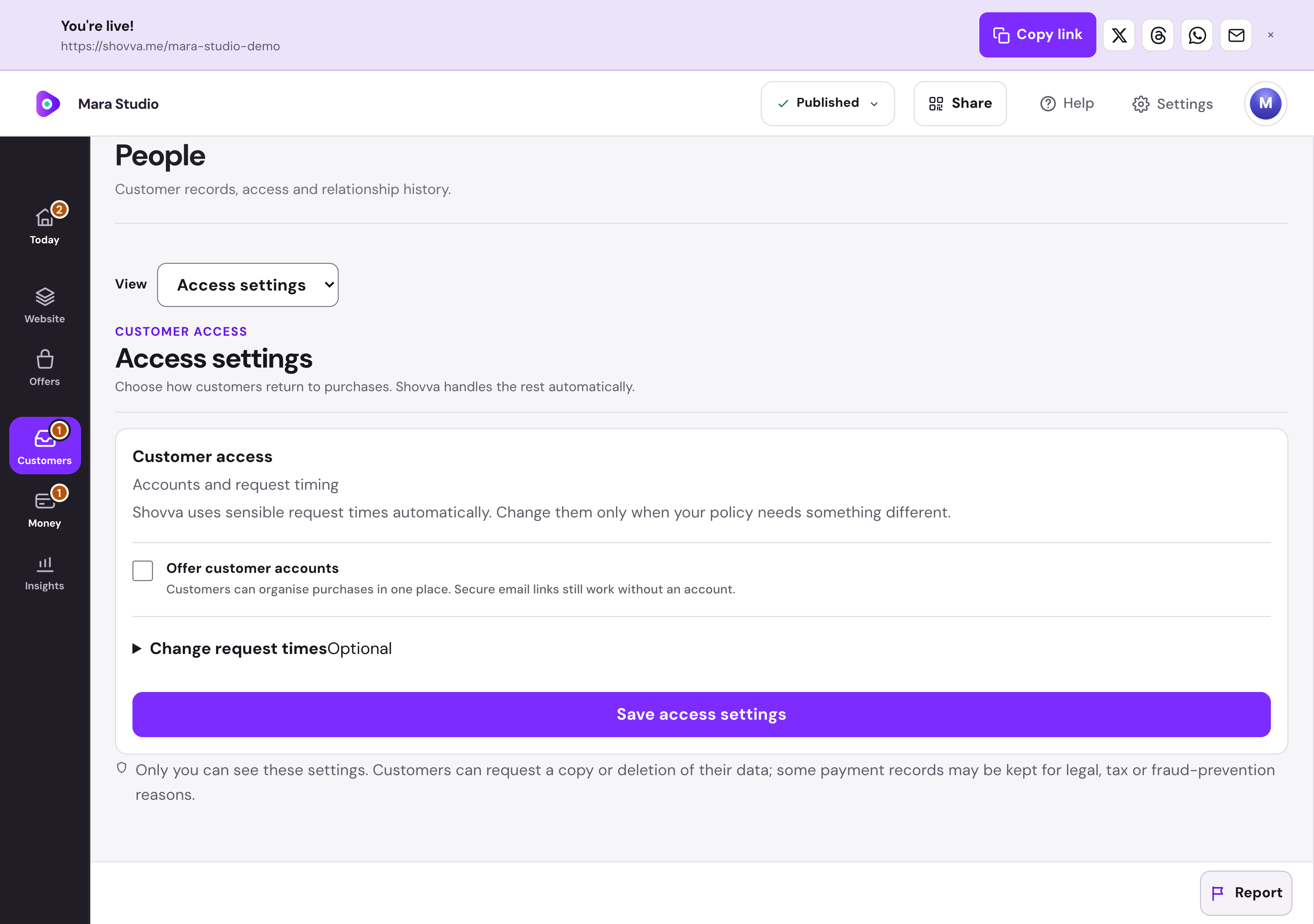
Real Shovva screens with fictional demonstration records.
The work behind the page
More than a join button.
Make the value clear before signup, then give members somewhere to return.
Define the membership
Explain the recurring price, benefits and what is included.
Take recurring payments
Connect Stripe for paid membership checkout and billing.
Publish member content
Create the posts and resources your membership provides.
Give members access
Bring protected content and member access together.
Help people return
Provide a sign-in route and resend access when someone needs it.
Keep billing clear
Let members manage their account and cancel future renewal.
A few useful answers
Good to know before you start.
Do I need a payment card to start?
No. You can create and publish a page on Free without adding a card for a Shovva subscription.
Can I start with just one offer?
Yes. Start with the page and customer action you need, then add more services, products or content later.
Can I change the design?
Yes. Edit your content, sections and style in your workspace. Ordinary saved edits to an already-live page can update it automatically.
How do payments work?
Connect Stripe when you are ready to take payments. Shovva platform fees depend on your plan; Stripe processing is separate.
Put your next offer in front of people.
Start with a free page. Add your real offer and publish when you are ready.