
Pages & audience
A page people will remember.
Bring your work, links and next customer action into one distinctive place you can share anywhere.

01 / THE OFFER YOUR CUSTOMER SEES
Give interest a clear next step.
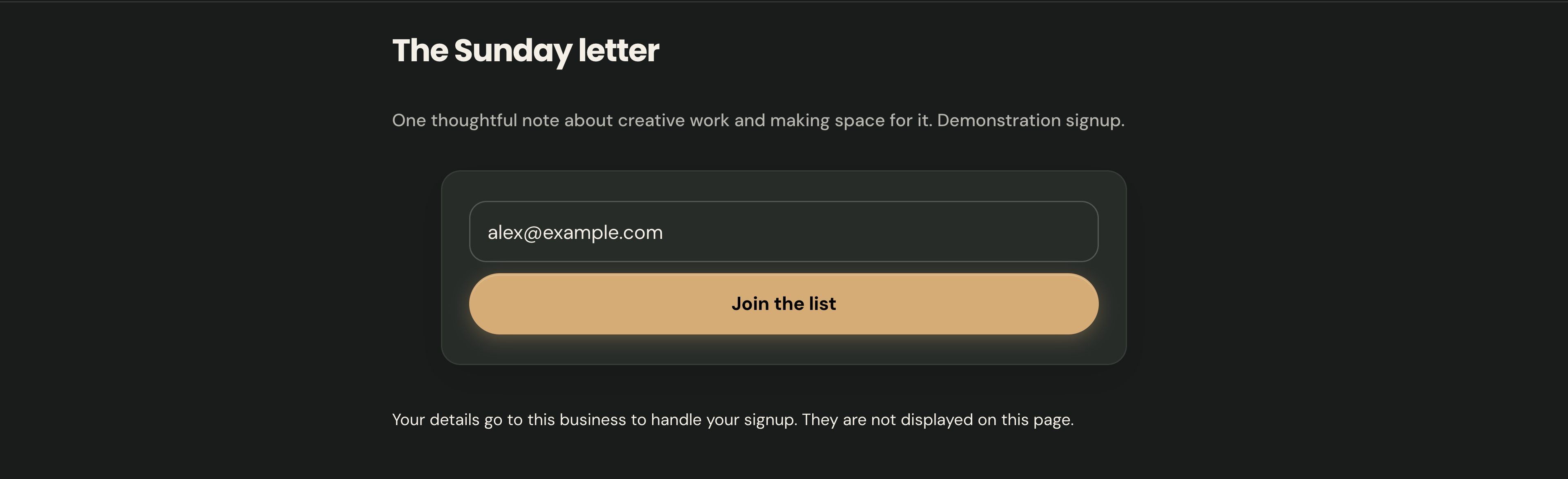
This is the actual email signup section: explain what readers will receive, collect their details and give them a clear Join the list action.
Amina Rowe · Actual offer section · Demonstration business
Then see how you manage it ↓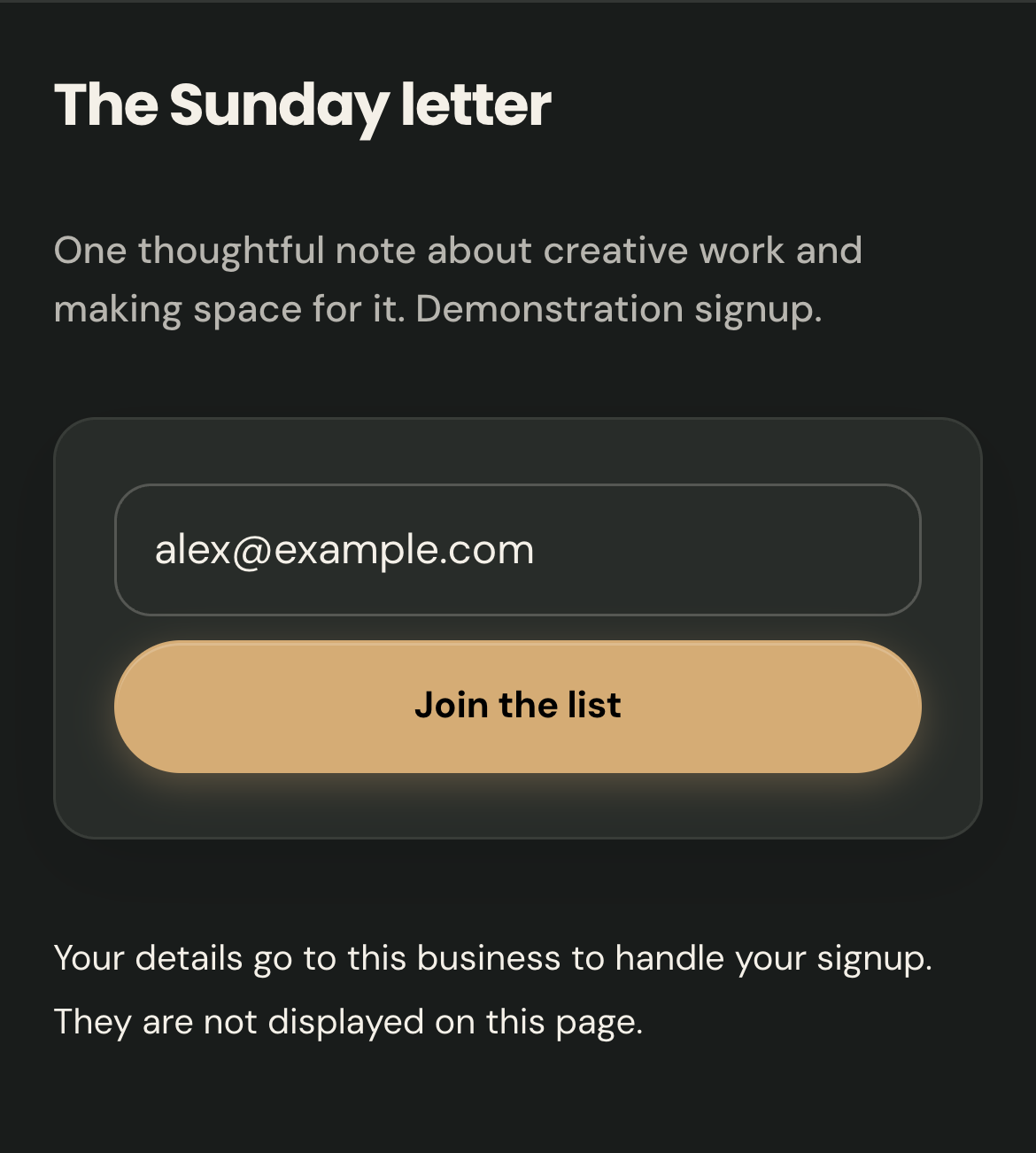
02 / YOUR DASHBOARD
Turn interest into a relationship.
01
Give every new contact a next step.
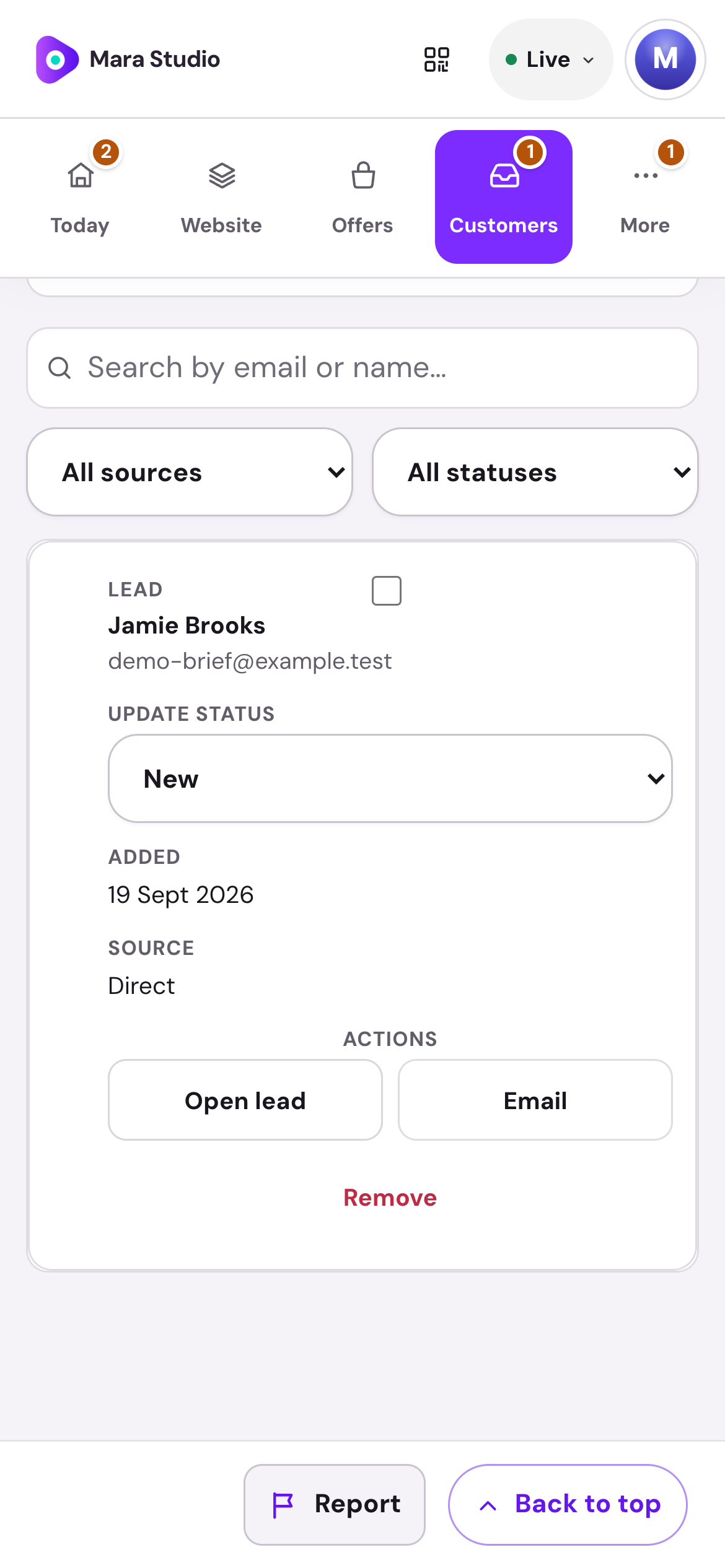
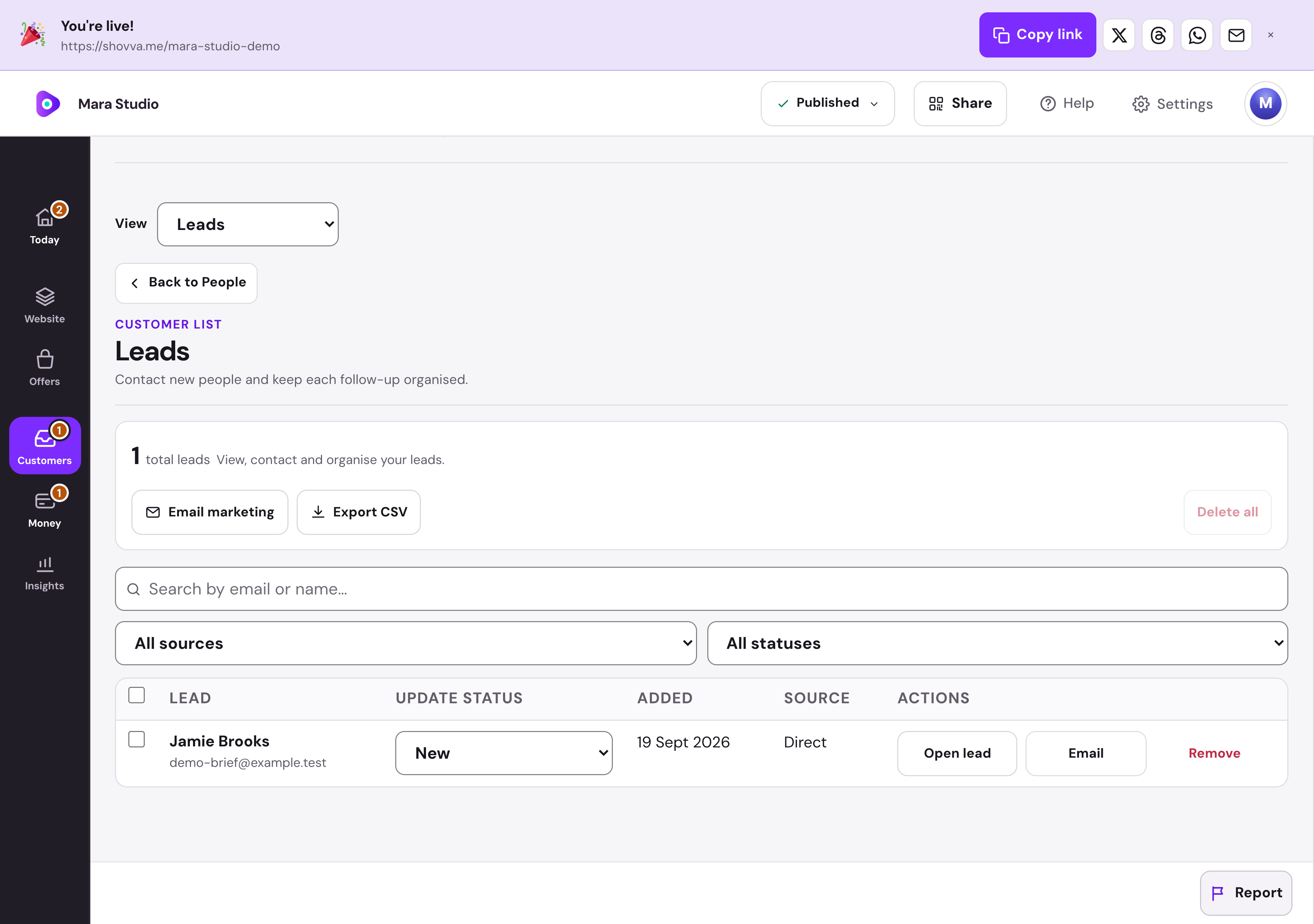
Find signups, filter by source and organise follow-up status. Open a lead’s record or export your list when needed.
Mara Studio · Lead management · Real dashboard, fictional demo data
01
Start with the whole conversation.
Read the brief beside the customer’s history. Reply, prepare a quote or mark the enquiry handled from the same place.
Mara Studio · Enquiry workspace · Real dashboard, fictional demo data
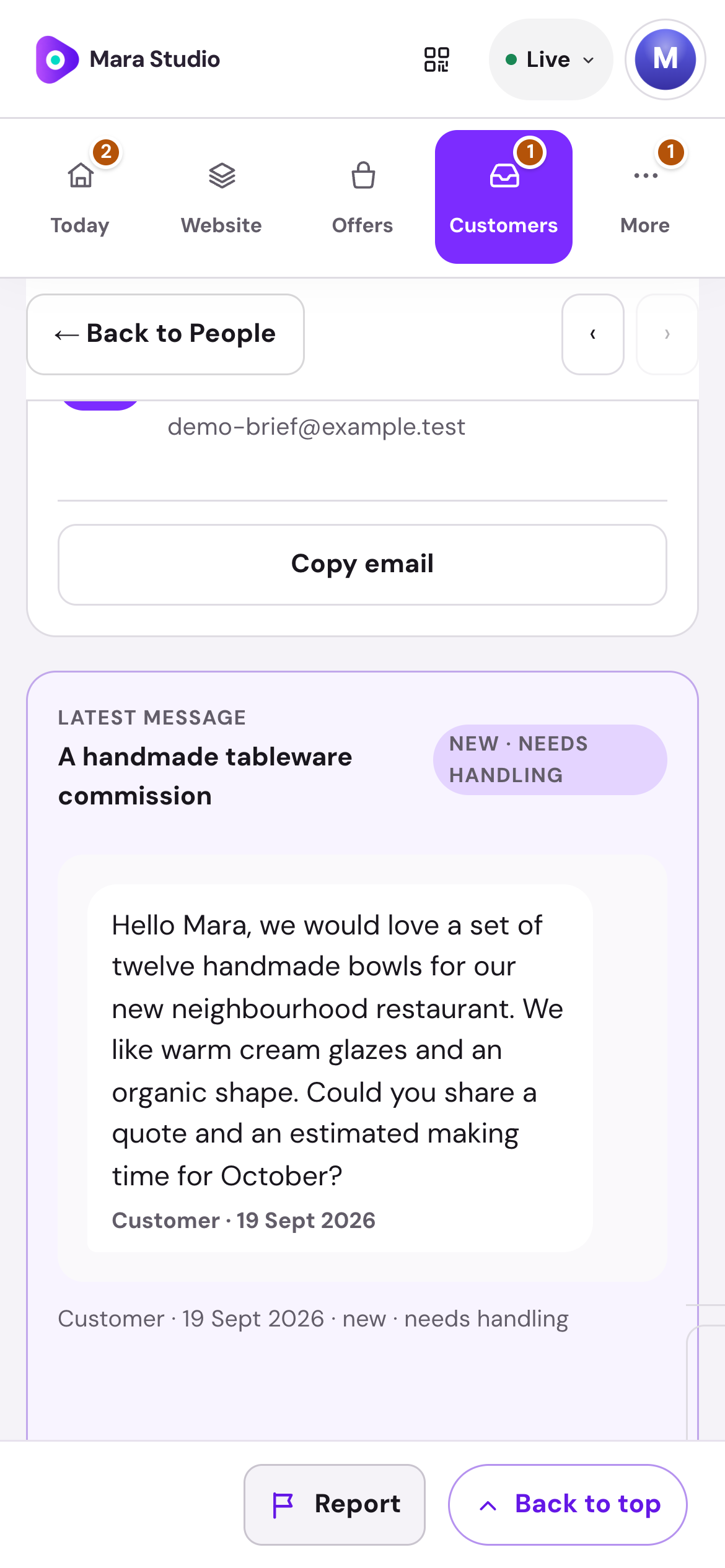
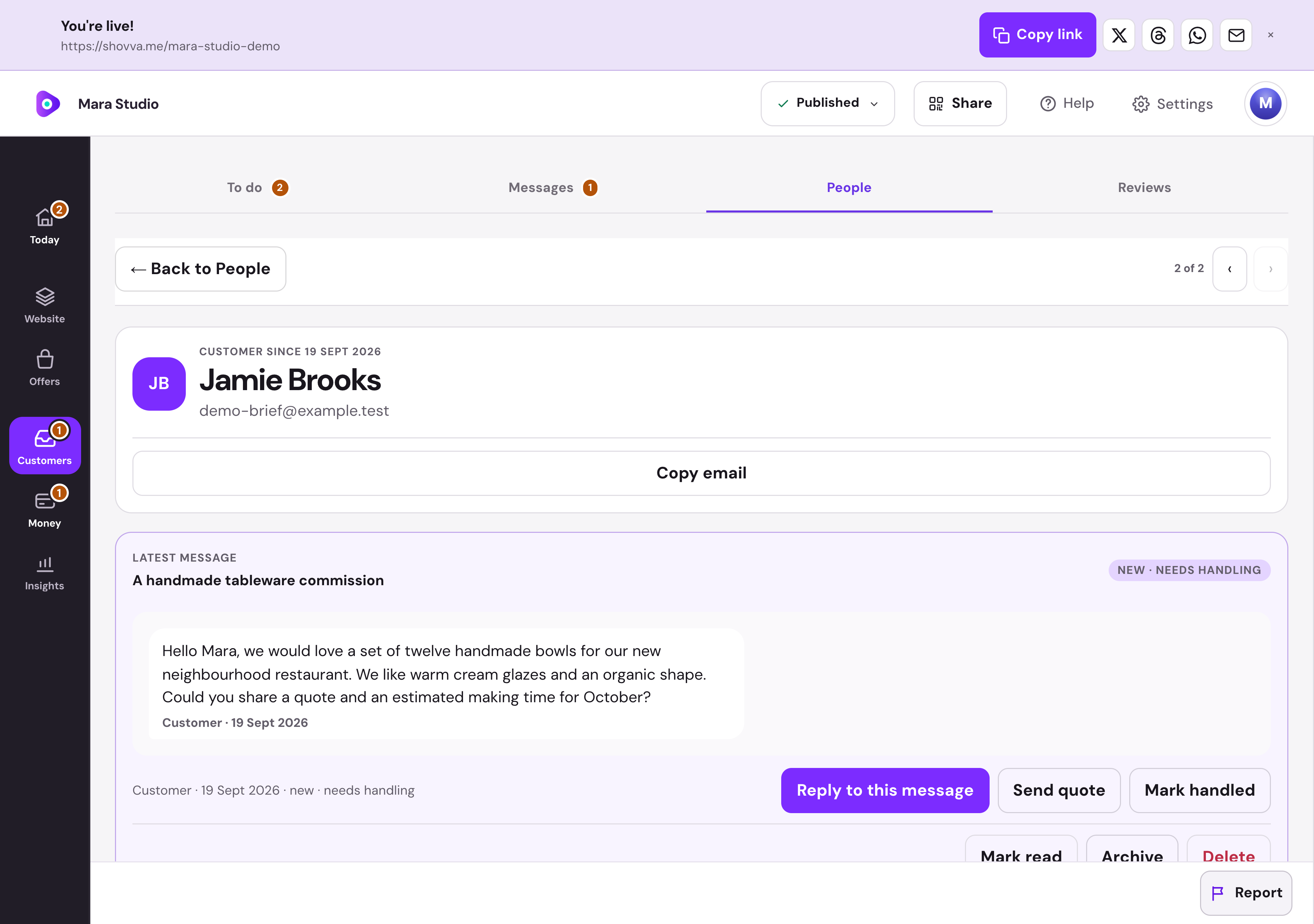
Real Shovva screens with fictional demonstration records.
The work behind the page
A page that gives interest somewhere to go.
Bring discovery, useful content and the next customer action together.
Introduce your work
Use your own words, photographs and featured content.
Guide the next step
Organise the links and sections that matter to your audience.
Collect signups
Add a clear email signup with a reason to join.
Share one destination
Use the page link, sharing options and QR code.
Understand the response
Review page and customer activity in your workspace.
Add an offer when ready
Bring bookings, products, tickets or membership onto the same page.
A few useful answers
Good to know before you start.
Do I need a payment card to start?
No. You can create and publish a page on Free without adding a card for a Shovva subscription.
Can I start with just one offer?
Yes. Start with the page and customer action you need, then add more services, products or content later.
Can I change the design?
Yes. Edit your content, sections and style in your workspace. Ordinary saved edits to an already-live page can update it automatically.
How do payments work?
Connect Stripe when you are ready to take payments. Shovva platform fees depend on your plan; Stripe processing is separate.
Put your next offer in front of people.
Start with a free page. Add your real offer and publish when you are ready.