
Shovva for event organisers
From the first invitation to the door.
Give your event a page worth sharing, sell tickets and keep the guest list ready for check-in.

01 / THE OFFER YOUR CUSTOMER SEES
Give the ticket offer the full picture.
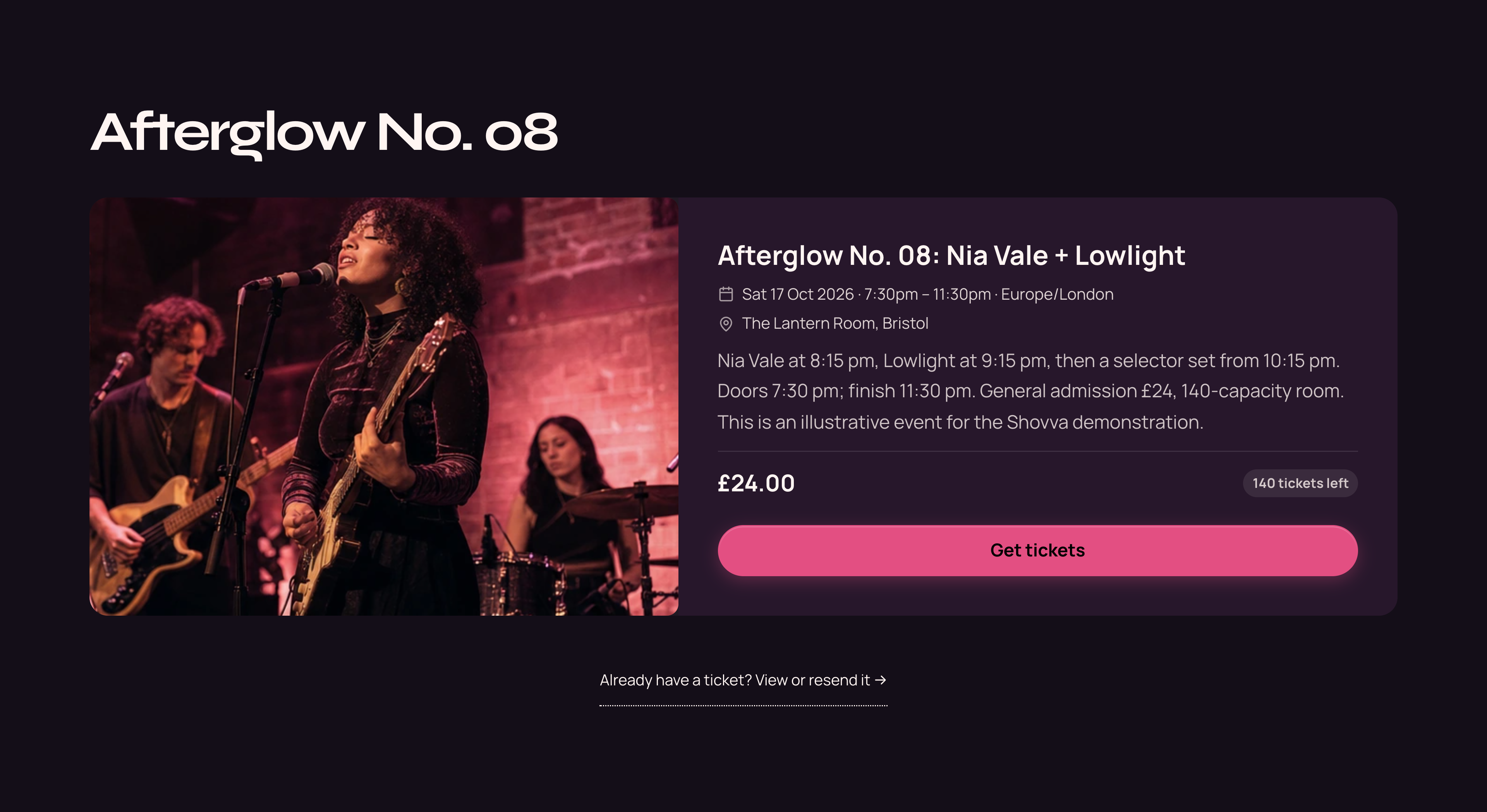
Show the date, venue, event details, £24 ticket price and availability, with Get tickets beside the offer. This is the actual event section customers see.
Afterglow Sessions · Actual offer section · Demonstration business
Then see how you manage it ↓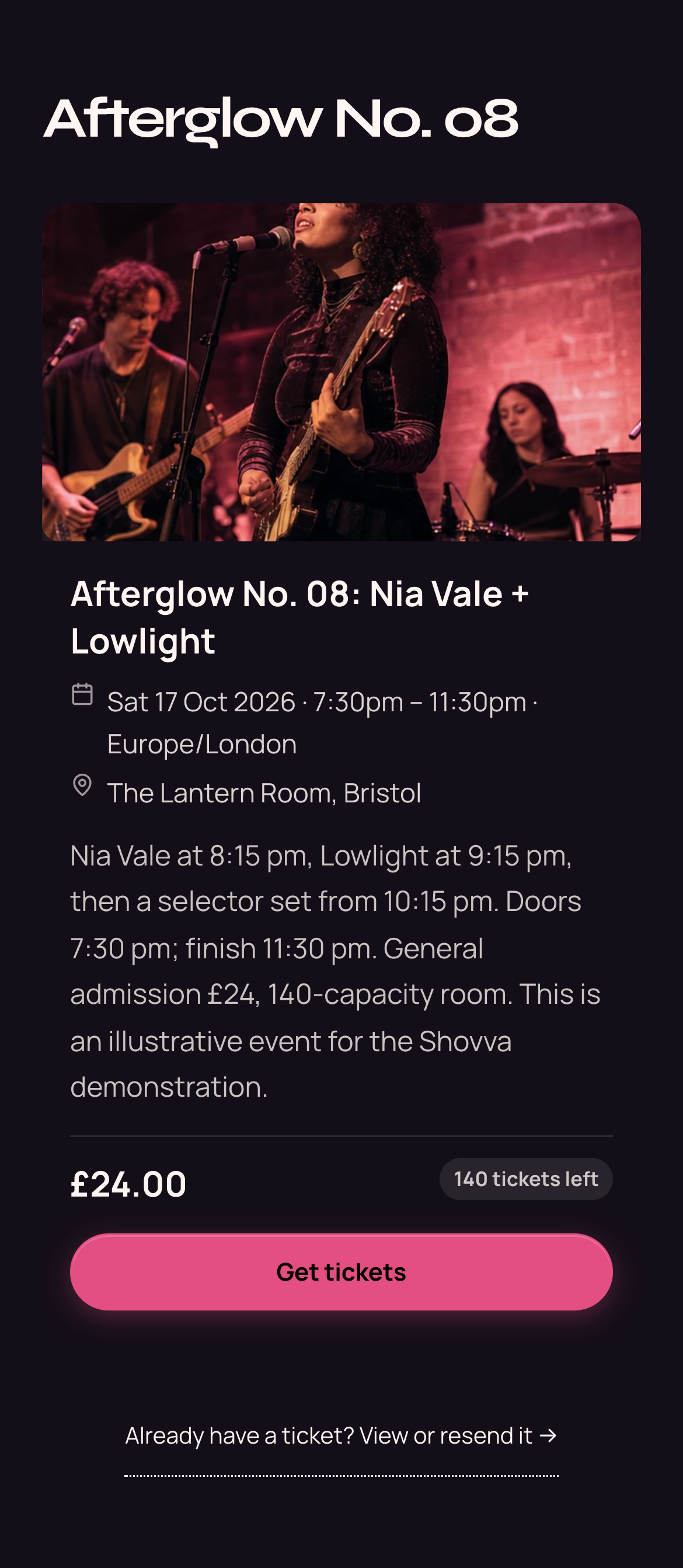
02 / YOUR DASHBOARD
Your event’s working side.
The customer experience
01
Keep the door organised.
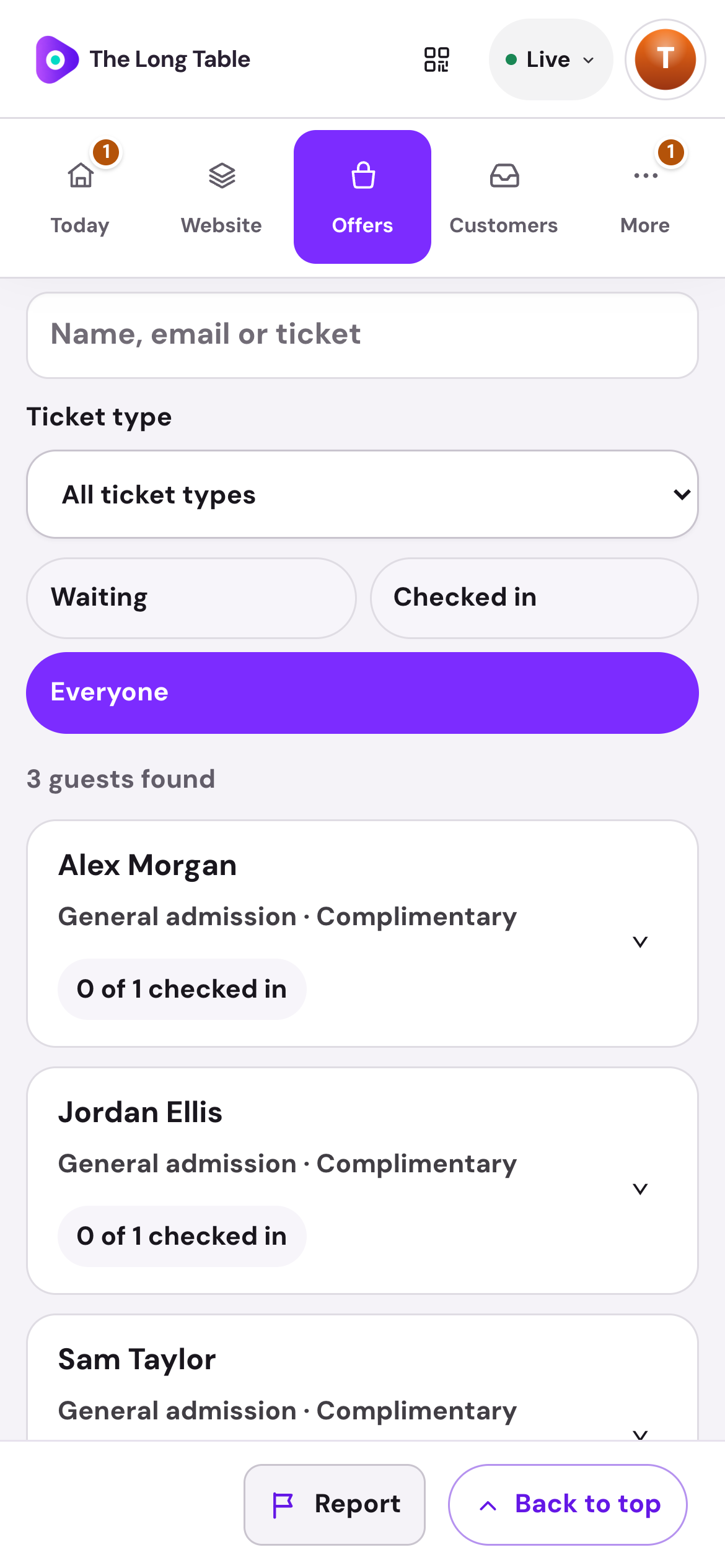
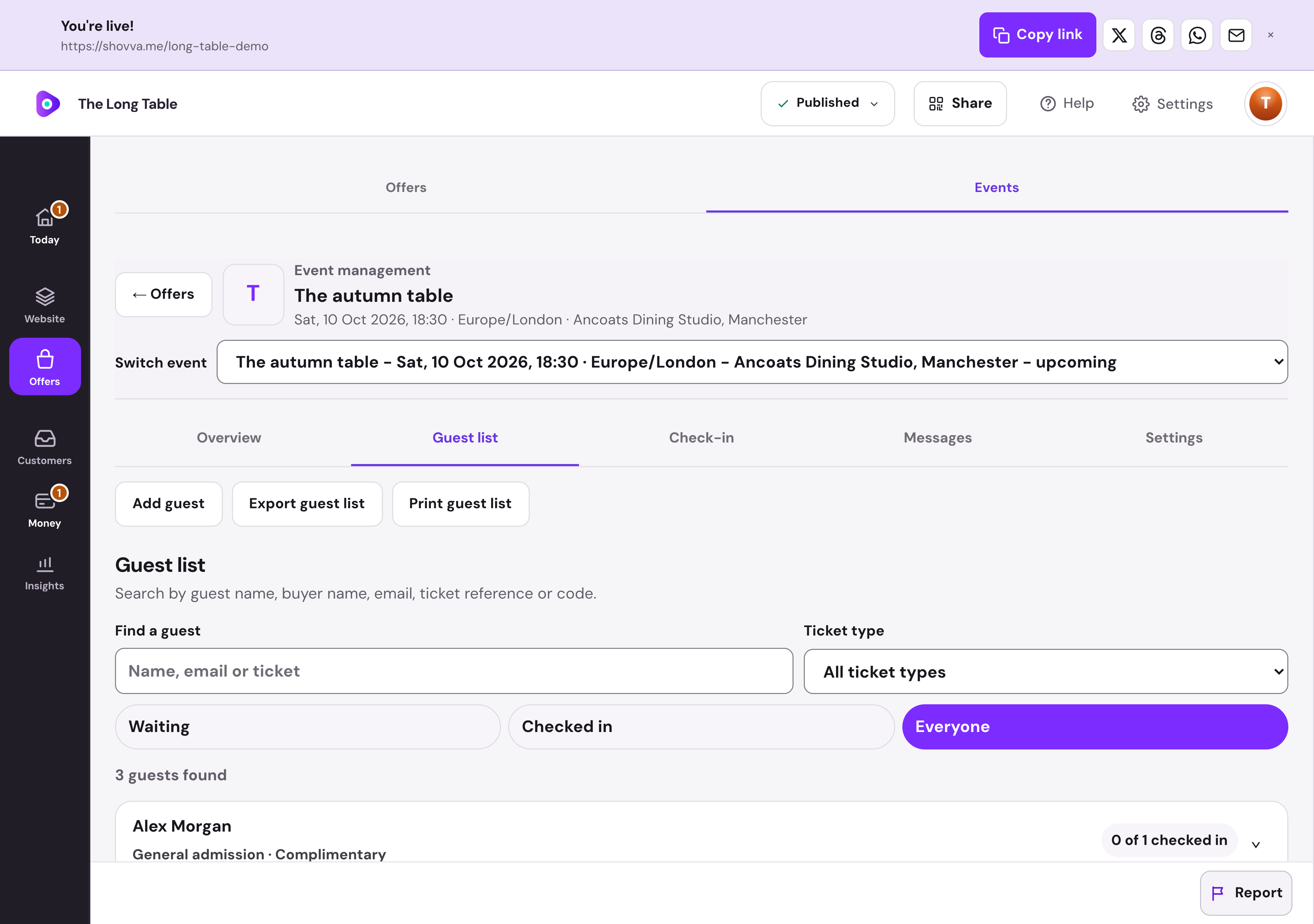
Search your guest list, filter arrivals and see each person’s admission status. Export or print the list when you need a copy.
The Long Table · Event guest list · Real dashboard, fictional demo data
01
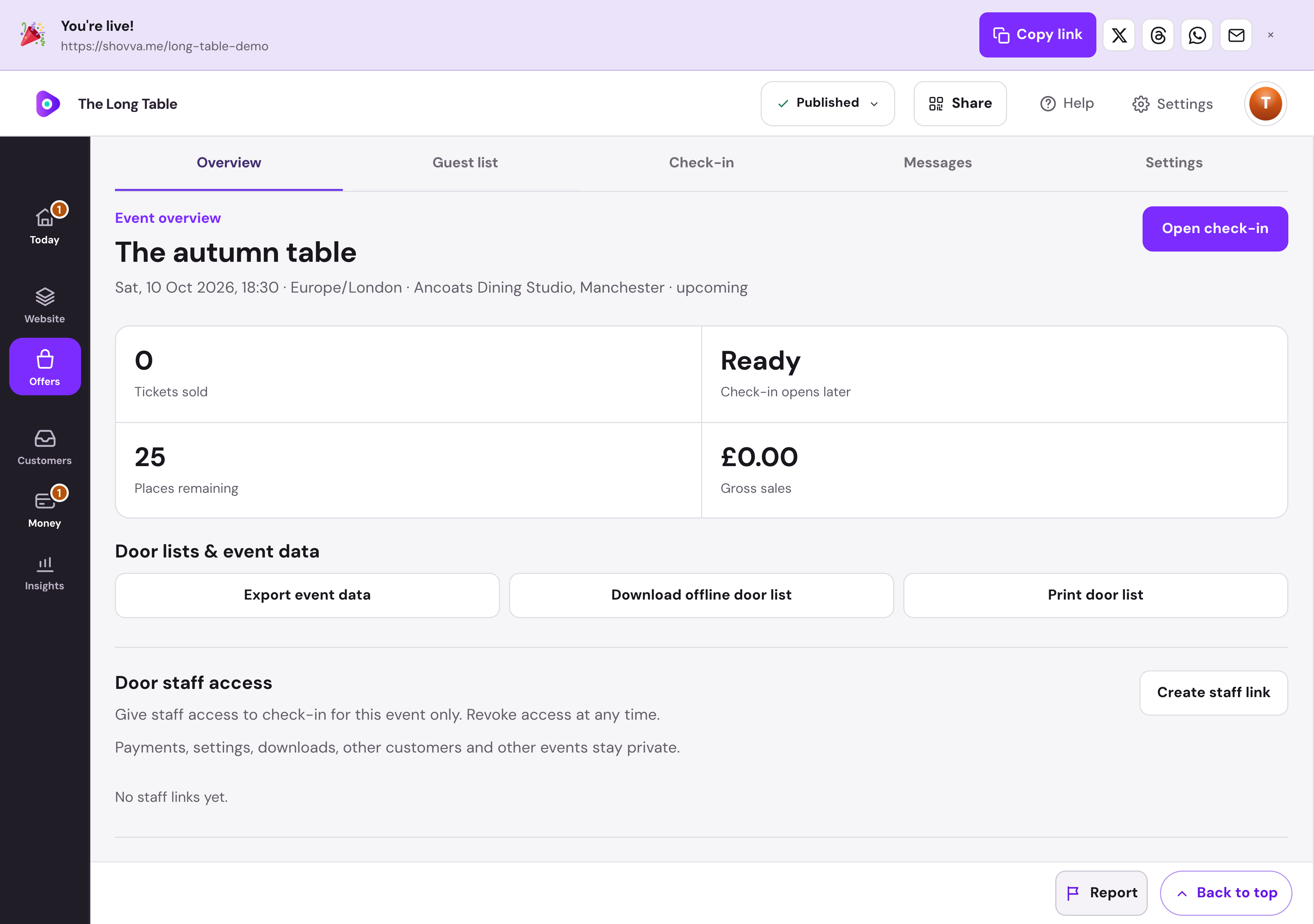
Run the evening from one workspace.
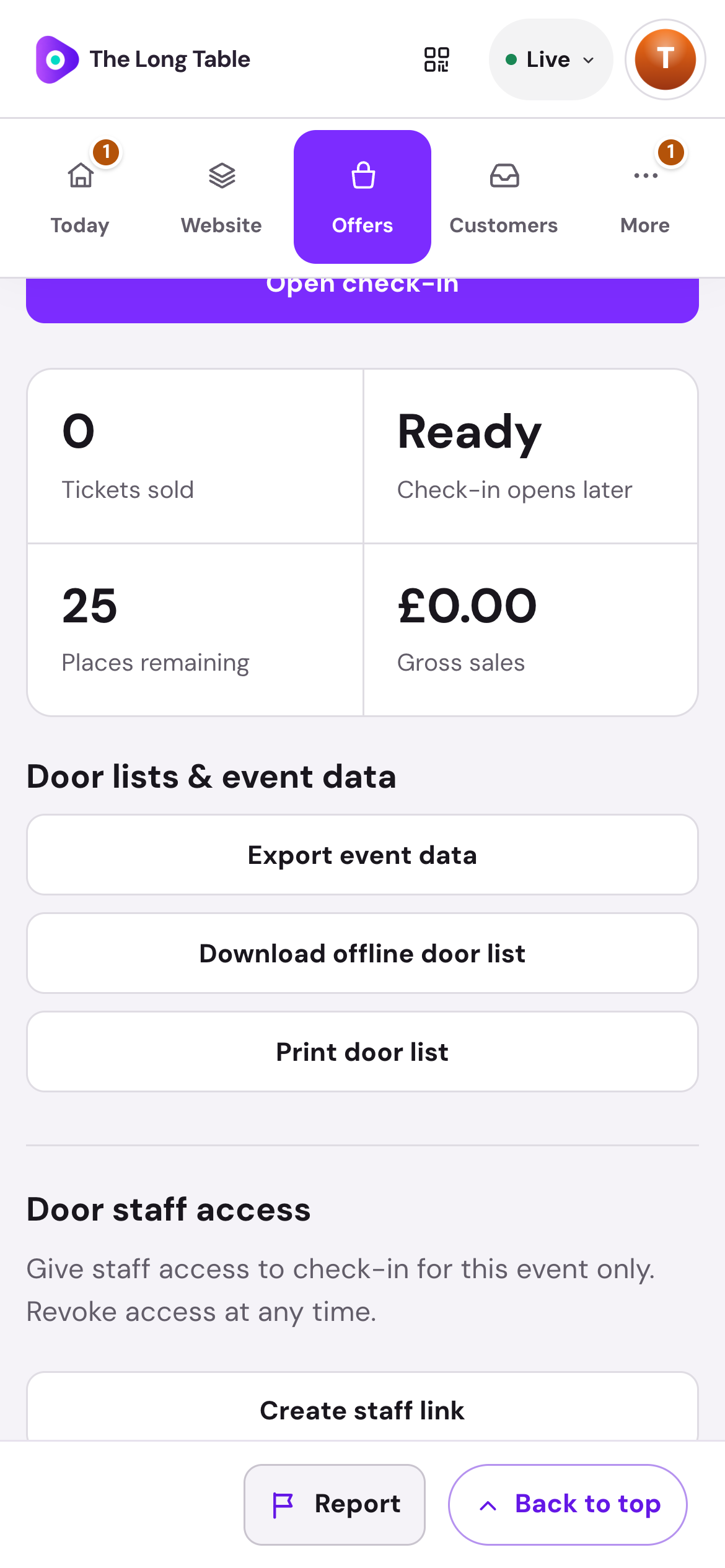
Review capacity, prepare an offline door list and manage event updates. Event staff can have a separate check-in link.
The Long Table · Event management · Real dashboard, fictional demo data
The work behind the page
From the event page to the door.
Build interest, sell the place and keep the attendee details ready.
Set the scene
Add event imagery, a description, venue and start and finish times.
Set ticket availability
Choose your price and capacity before publishing the event.
Collect attendee details
Capture ticket quantities and individual attendee information.
Deliver the ticket
Give customers their ticket after confirmed payment and resend it when needed.
Run check-in
Use the event’s check-in tools to manage arrivals.
Handle changes
Review ticket requests and apply your stated cancellation and refund terms.
Start with what matters
Your business can do more than one thing.
Build a page for your business.
Choose your own content, offers and style. Start free and publish when ready.