
Say what you do before telling the whole story
Your first heading should help a new visitor understand the offer. A business name alone usually cannot do that. Follow it with a specific description of the work, the person it suits and the location or format when relevant.
“Beginner pottery workshops in Leeds” gives someone a useful starting point. “Create something extraordinary” needs more explanation. You can still use personality in your writing; make the essentials easy to find.
Try this introduction: “I offer [service or product] for [customer], with [important detail].” Read it to someone who does not know your business and ask what they think they can do on the page.
Give each offer enough detail to decide
Customers need to know what they receive, how it works, what it costs and what happens next. Use an individual offer for each meaningfully different product or service, rather than hiding everything in an about section.
- Services: duration, location, inclusions and availability.
- Products: useful images, options, contents and delivery information.
- Events: date, times, venue, ticket details and access information.
- Custom work: suitable projects, process and the details needed for a quote.
Explain unfamiliar terms. If a customer needs a file type, a particular tool or previous experience, say so before they commit.
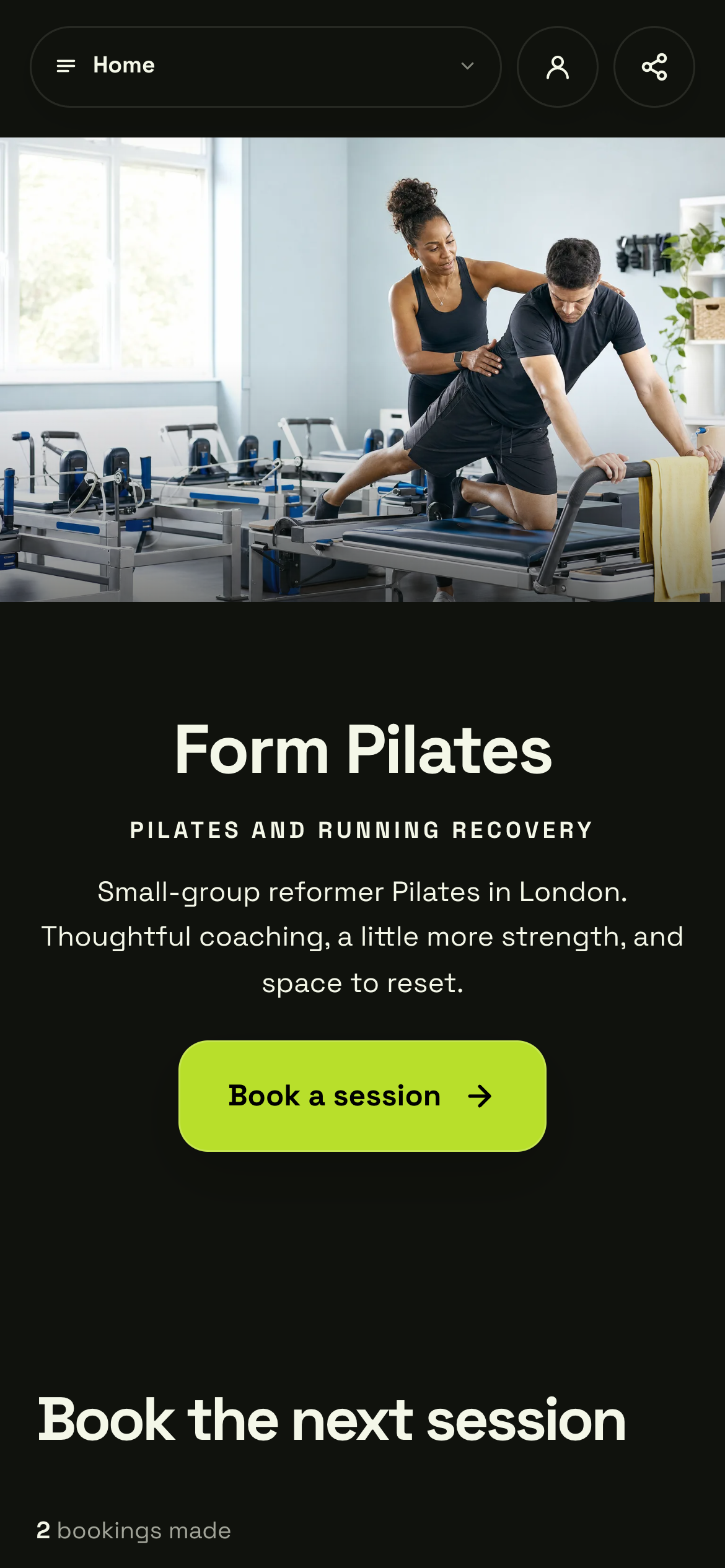
Form Pilates shows the teacher, the setting and the offer. Your own page should answer who it is for, what happens and how to take the next step.
Actual Shovva screen. Fictional example business.
Choose photos that answer a question
Use a clear image of the work or experience. A product photo should help someone see what they receive. A service photo can show the setting, process or result. A personal portrait is useful when the relationship with you matters, but it does not replace photos of the offer.
Check the crop on mobile. Keep important details away from the edges and use the original high-quality file rather than a compressed screenshot from social media. Add descriptive alternative text that explains the subject without stuffing it with keywords.
Only use photos you have the right to publish, and make clear when an image is illustrative rather than your own work.
Add trust with useful, accurate detail
Explain who is behind the business, how someone can contact you and how the work is delivered. Include relevant qualifications only if you hold them. Use customer reviews only with an honest basis and permission where needed.
If you are starting out, a short process and well-labelled sample work are more credible than unsupported claims. Show what the customer can expect from the first contact to the finished result.
Put key policies and practical details where people can find them. Answer the questions you hear most often, such as what to bring, delivery areas, turnaround times or how to request a change.
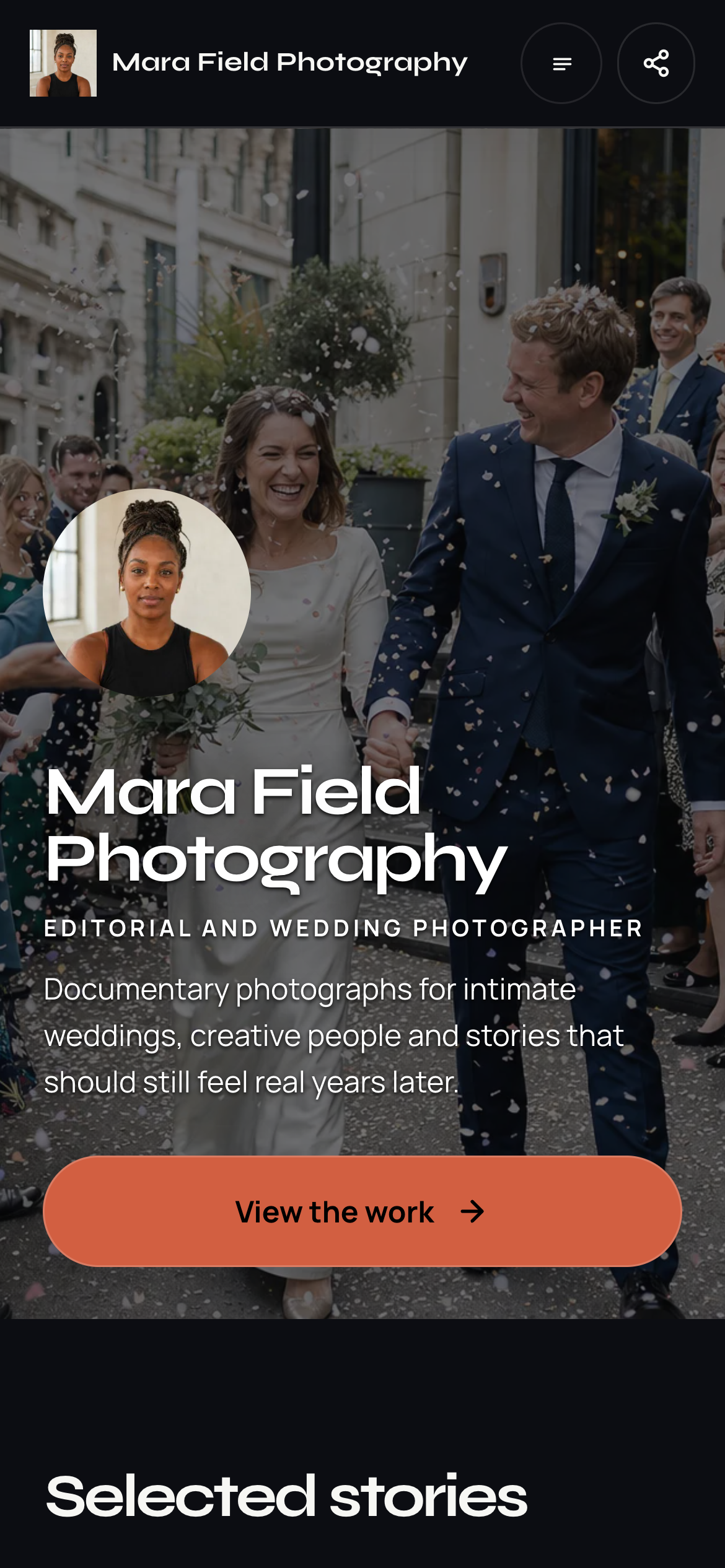
A portfolio-led page gives your photography room to explain what you do. Pick a starting layout that suits your business, then replace the example content with your own.
Actual Shovva screen. Fictional example business.
Choose one primary action and test it
Pick the next step that matches the main offer: “Book a session”, “Shop the collection”, “Get tickets” or “Tell me about your project”. A specific label helps people know what will happen.
Shovva’s examples show different ways to arrange a business page. Choose a starting layout, add your own photos and details, then use the preview to check the whole journey.
Before sharing, open the live page on a phone. Check the text, photos, offer options and contact route. Follow the primary action as far as you safely can; use a test flow where available rather than accidentally making a live payment.
Final checklist: clear introduction, complete offer, relevant photos, honest trust information, contact details and a working next step.