

Match the page to the promise in your social profile
If someone arrives after seeing a haircut, coaching session or photography post, make the related service easy to find. A collection of unrelated links gives the visitor another task before they can decide.
Use the same business name, recognisable photography and a clear description. State where you work or whether the service is online. Someone outside your service area should not have to start a booking to discover that.
A link-in-bio page can be a useful business destination when it answers the questions a customer would otherwise send in a message.
Write a service description that removes uncertainty
Start with the result or experience, then explain the format. Include the duration, price, what is included, who it is suitable for and any preparation required.
For example, a beginner session could say: “A 60-minute one-to-one introduction, suitable for complete beginners. Equipment is provided. Please arrive ten minutes early.” This is an illustrative description; use details that are true for your service.
If a price depends on the job, explain what changes it and invite an enquiry. Do not force a fixed-price booking onto work that needs a brief first.
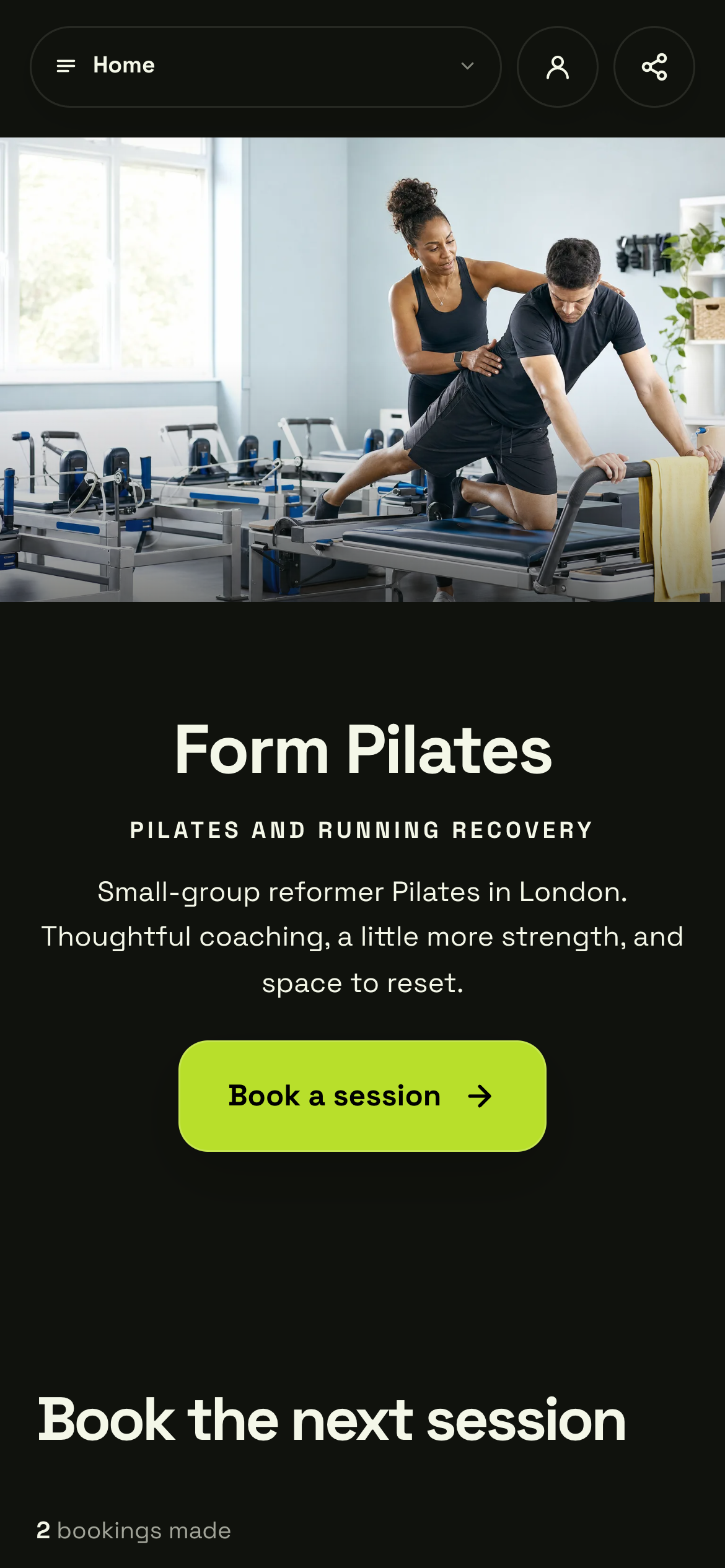
Give visitors somewhere they can understand the service before choosing an appointment. Keep the wording and photographs consistent with the social post that brought them here.
Actual Shovva screen. Fictional example business.
Separate appointments from bespoke enquiries
An appointment works well when you know the service, duration and availability in advance. Custom projects often need a conversation about scope, budget and timing before you can confirm them.
Choose the relevant route on your Shovva page. Set up bookable offers for defined appointments, or collect enquiries for work that needs a quote. Keep the action label specific so people know whether they are booking or asking a question.
Only publish times you can deliver. Allow time between sessions for preparation, travel or resetting the space. Check how your actual availability appears in the customer view.
Explain what happens after the next click
Customers want to know whether they are choosing a time, paying, requesting a quote or waiting for your reply. Explain the next step near the action. Avoid language that suggests an enquiry is a confirmed appointment.
Include relevant location, joining instructions and contact details in the customer journey. Keep your cancellation and rescheduling information easy to find and consistent with your actual policy and applicable requirements.
Behind the page, use the Shovva dashboard to review the bookings or enquiries for that business. Keep track of what still needs a response instead of relying only on scattered social messages.
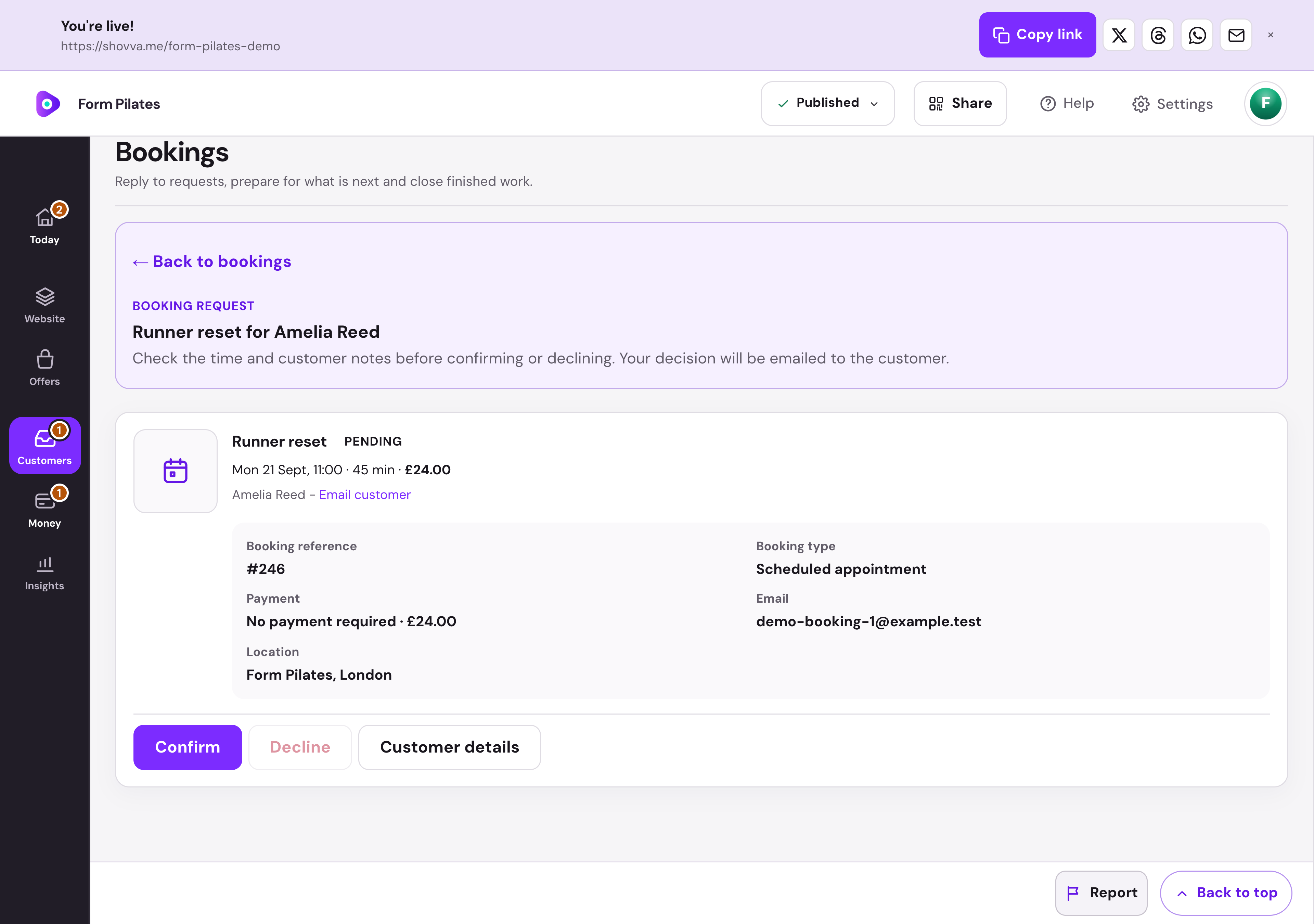
The booking record shows the appointment and customer details together. This is the owner’s workspace behind the public business page.
Actual Shovva screen. Fictional example business.
Test the route from a phone
Open your social profile as a visitor, follow the link and find the advertised service. Check whether you can understand the offer without zooming, whether the price is clear and whether the primary action is easy to tap.
Ask someone unfamiliar with the business to try the same task. Do not explain the page while they use it. Note where they pause and which questions remain unanswered.
Before sharing: check the live link, service description, images, availability, required payment setup and contact route. After launch, use recurring customer questions to improve the page rather than adding more links automatically.