
Stays
Book your stay direct.
Guests pick their dates, see the full price and request the stay on your own website. You confirm.
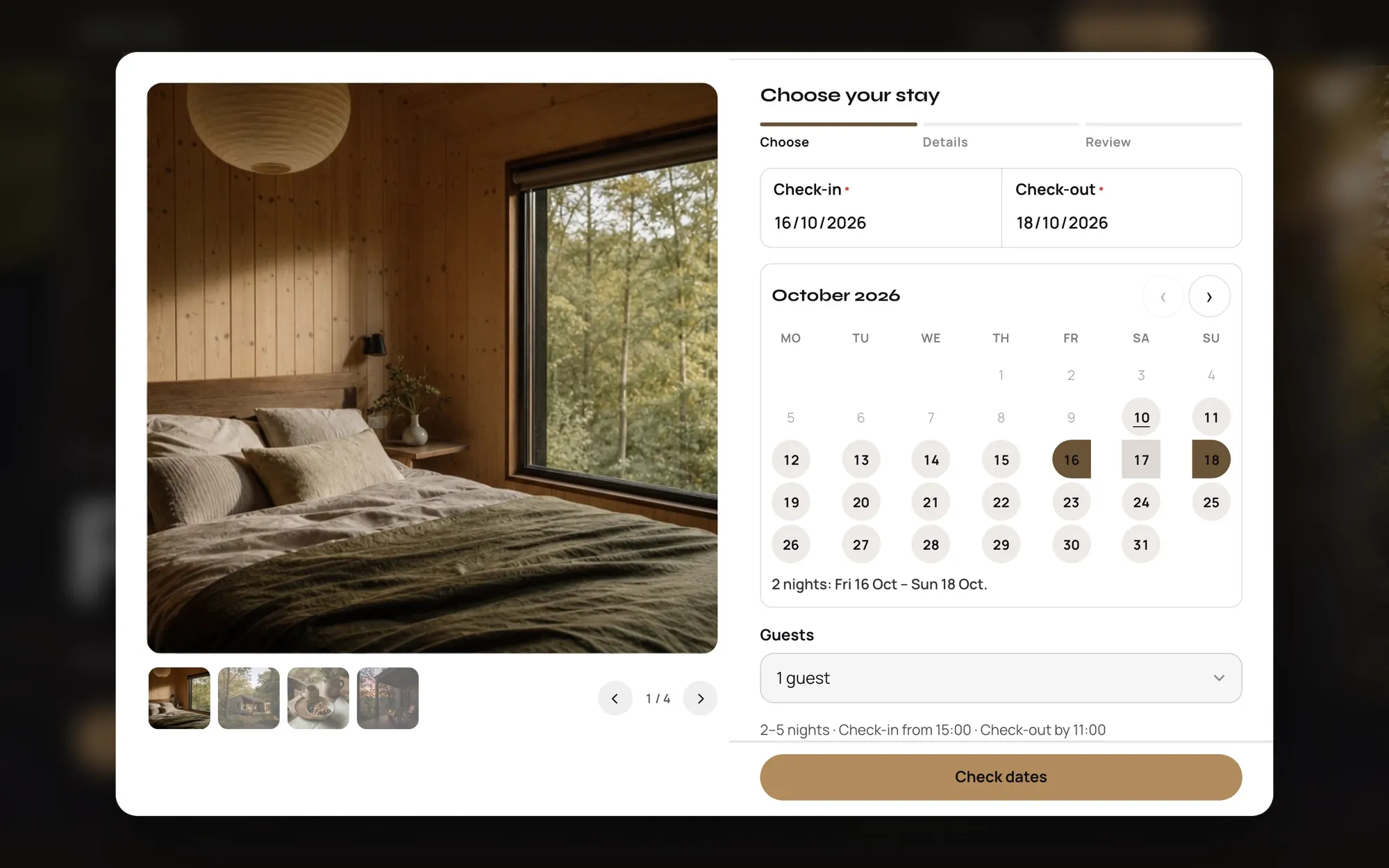
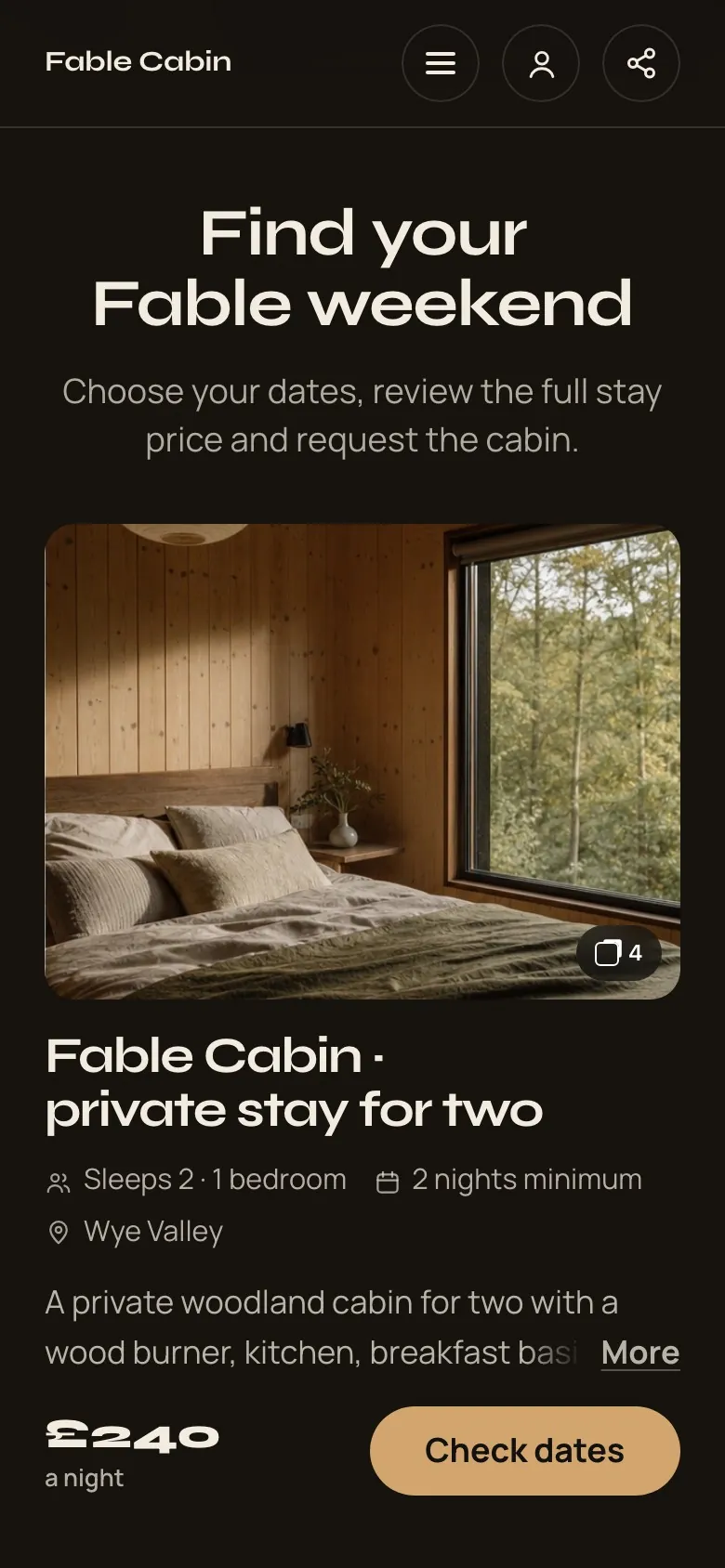
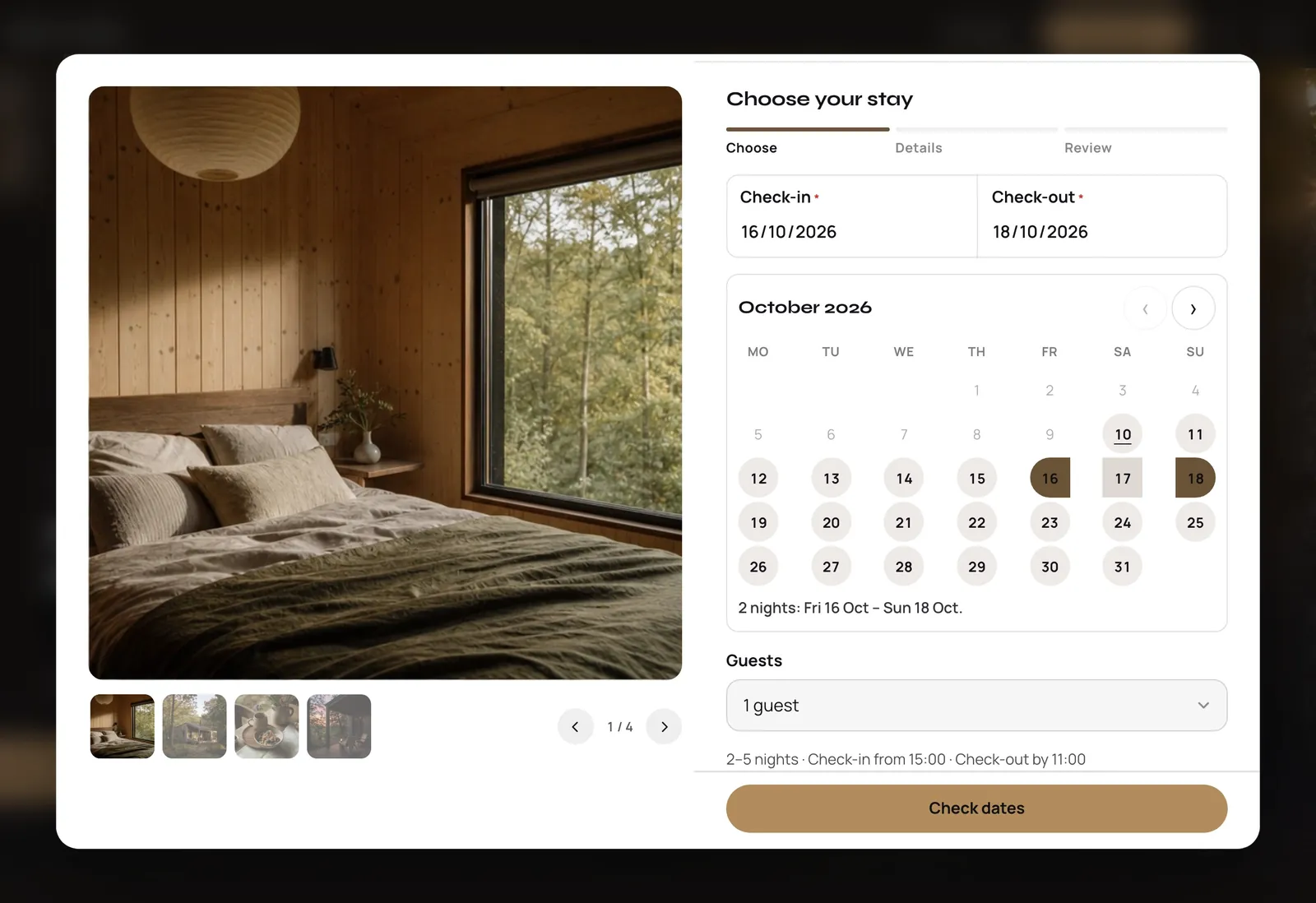
Your stay
Dates, nights and the full price.
A calendar with your available nights, minimum stays and the price before they request.
Minimum nights
Full price up front
You confirm each stay
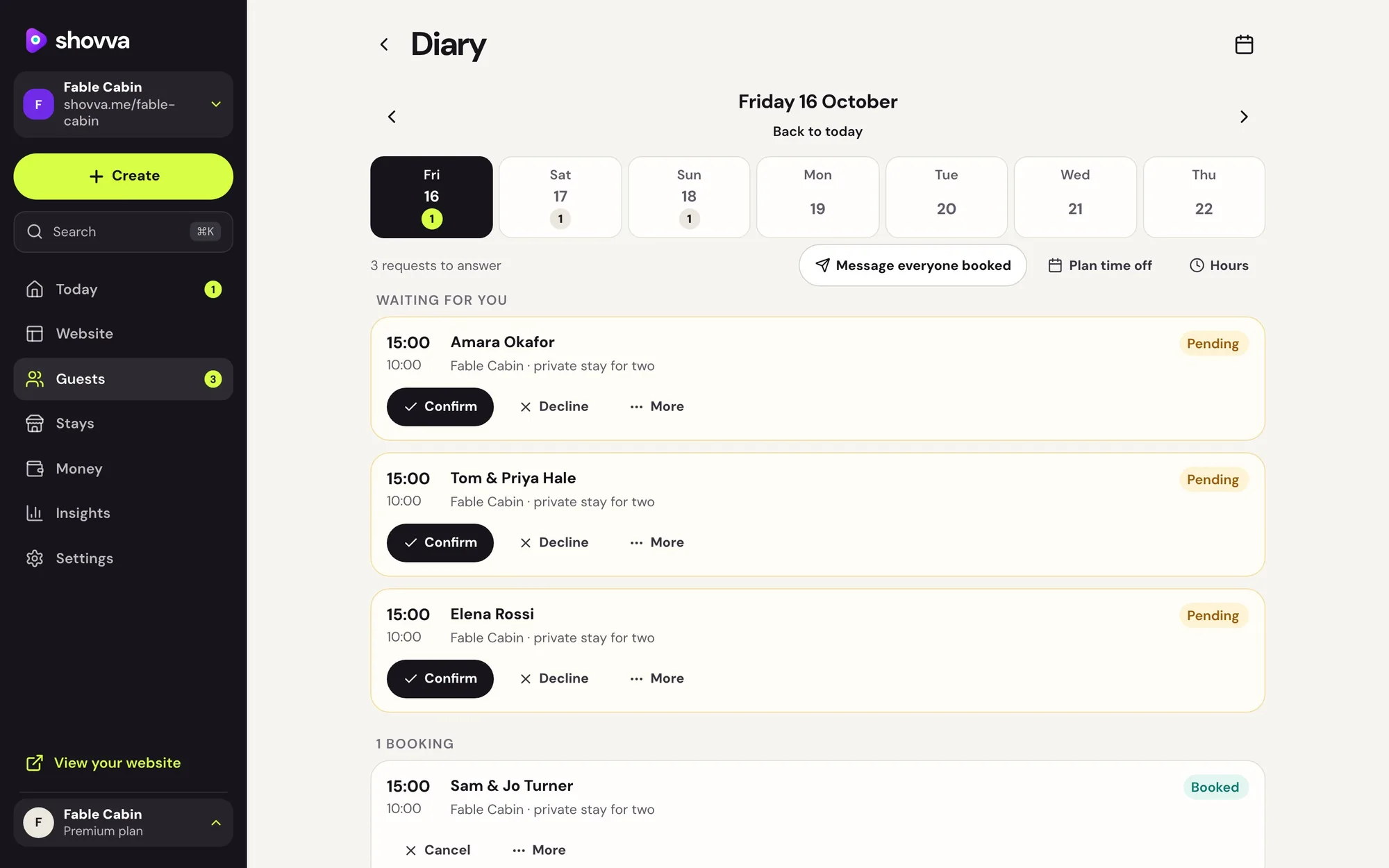
Your guests
Every request in one place.
See requests, confirm them and keep guests informed from the same app.
Requests and confirmations
Arrival details by email
Push alerts on your phone
Mix and match
Add more ways to earn. Same website.
Most open in a pop-up on your website, and everything lands in the same app.
Questions
Good to know.
Still deciding? See how Shovva stacks up against the apps you use now.
Do guests pay straight away?
Guests request their dates and see the full price; you confirm the stay before it’s booked.
Can I use it as my link in bio?
Yes. Your Shovva website is made for it: put its link in your Instagram, TikTok or other bios. People land on everything you offer and can book or buy without leaving it.
How do customers pay?
By card through your own Stripe account, paid out to your bank on Stripe’s schedule. Customers can also scan and pay you in person, on every plan. Premium can take payment at the venue for bookings; on Pro, that’s available until you connect card payments. On Free, customers pay online.
What does it cost?
Free has no monthly fee and a 10% fee per sale. Pro is £15 a month with a 2% fee; Premium is £29 a month with no Shovva fee. Stripe’s card fee applies on every plan. Refund a sale and your customer gets back what you refund: Shovva returns its fee to you (the matching share on a part refund), and Stripe keeps its card fee on the original payment.