
The checklist
- What you do, for whom, and where, in the first heading.
- Your offers, each with a price, what’s included and how it works.
- Photos of the actual work, product or place.
- Who you are: a short introduction and a photo if the relationship matters.
- Proof: reviews, examples or a clear process.
- Answers to the questions people message you about.
- Practical details: area, hours, policies and how to contact you.
- One main action: book, buy, get tickets, join or enquire.
The rest of this guide goes through each one.
Say what you do before telling the whole story
Your first heading should tell a new visitor what you offer. A business name alone usually can’t. Follow it with a plain description of the work, who it suits and the place or format.
“Beginner pottery workshops in Leeds” gives someone a useful start. “Create something extraordinary” needs explaining. You can still write with personality; just make the essentials easy to find.
Try: “I offer [service or product] for [customer], with [important detail].” Read it to someone who doesn’t know your business and ask what they think they can do on your website.
Give each offer enough detail to decide
People need to know what they get, how it works, what it costs and what happens next. Give each different product or service its own entry, rather than hiding everything in an “about” paragraph.
- Services: length, location, what’s included, availability and any deposit.
- Classes: a weekly timetable, who leads each class, and passes or memberships for regulars.
- Products: clear photos, options, what’s in the box and delivery or collection.
- Events: date, times, venue, ticket types and access information.
- Custom work: the kind of projects you take, your process and what you need to quote.
Explain anything unfamiliar. If someone needs a certain file type, a tool or previous experience, say so before they commit.
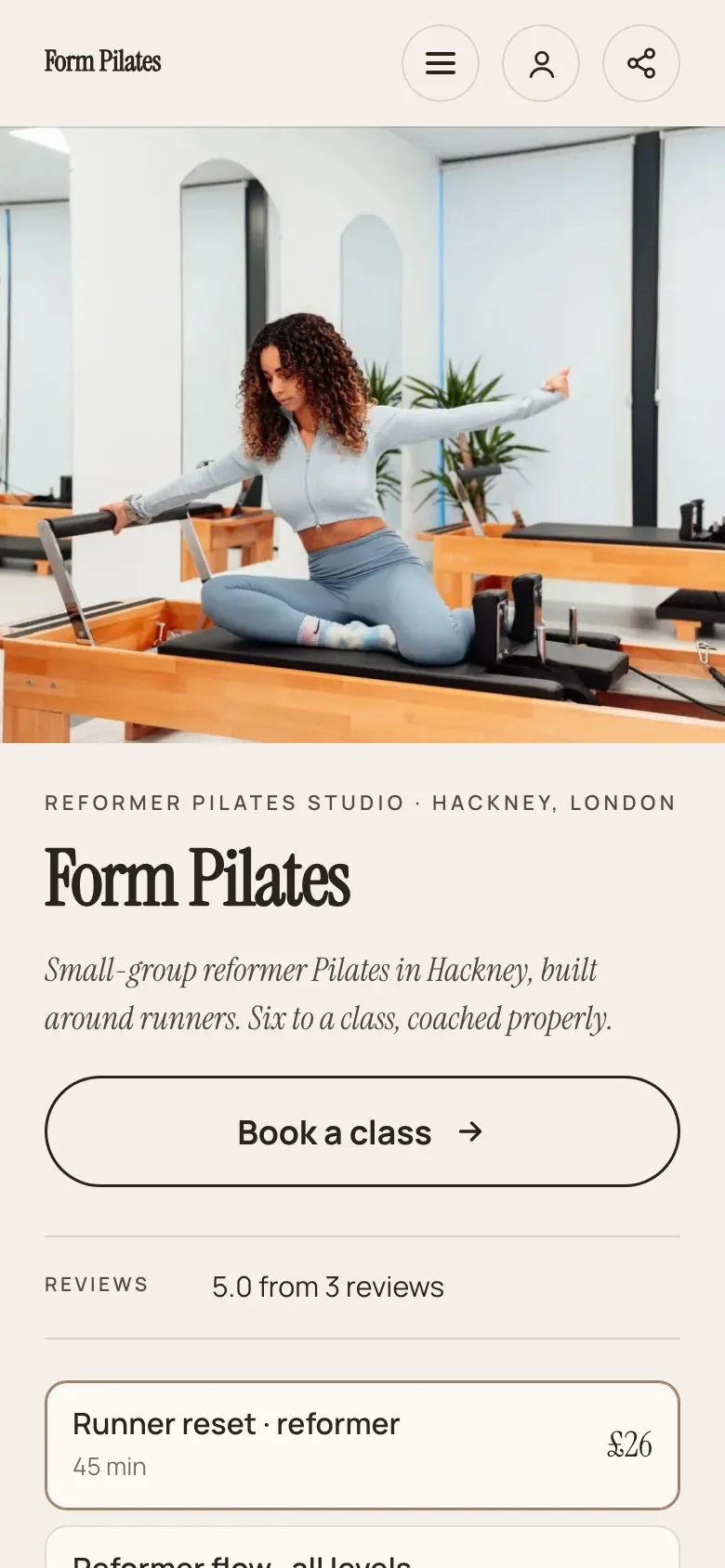
Customer view
Let people understand the service first.
Form Pilates shows the teacher, the setting and the offer. Your own website should answer who it’s for, what happens and how to take the next step.
Actual Shovva screen. Fictional example business.
Choose photos that answer a question
Use clear photos of the work or the experience. A product photo should show what people receive. A service photo can show the setting, the process or the result. A portrait of you helps when the relationship matters, but it doesn’t replace photos of what you sell.
Check how photos crop on a phone. Keep important details away from the edges, and use the original file rather than a screenshot from social media. Describe each photo in its alternative text in plain words, for people using screen readers and for search engines.
Only use photos you have the right to publish, and say when an image is illustrative rather than your own work.
Build trust with honest detail
Say who’s behind the business, how people can contact you and how the work is delivered. Include qualifications only if you hold them. Use real reviews only, with permission where needed.
If you’re just starting, a short description of your process and clearly labelled sample work are more convincing than big claims. Show what happens from the first message to the finished job.
Answer the questions you hear most: what to bring, where you deliver, how long things take, how to change a booking. Each answer you put on the page is one less message to reply to.
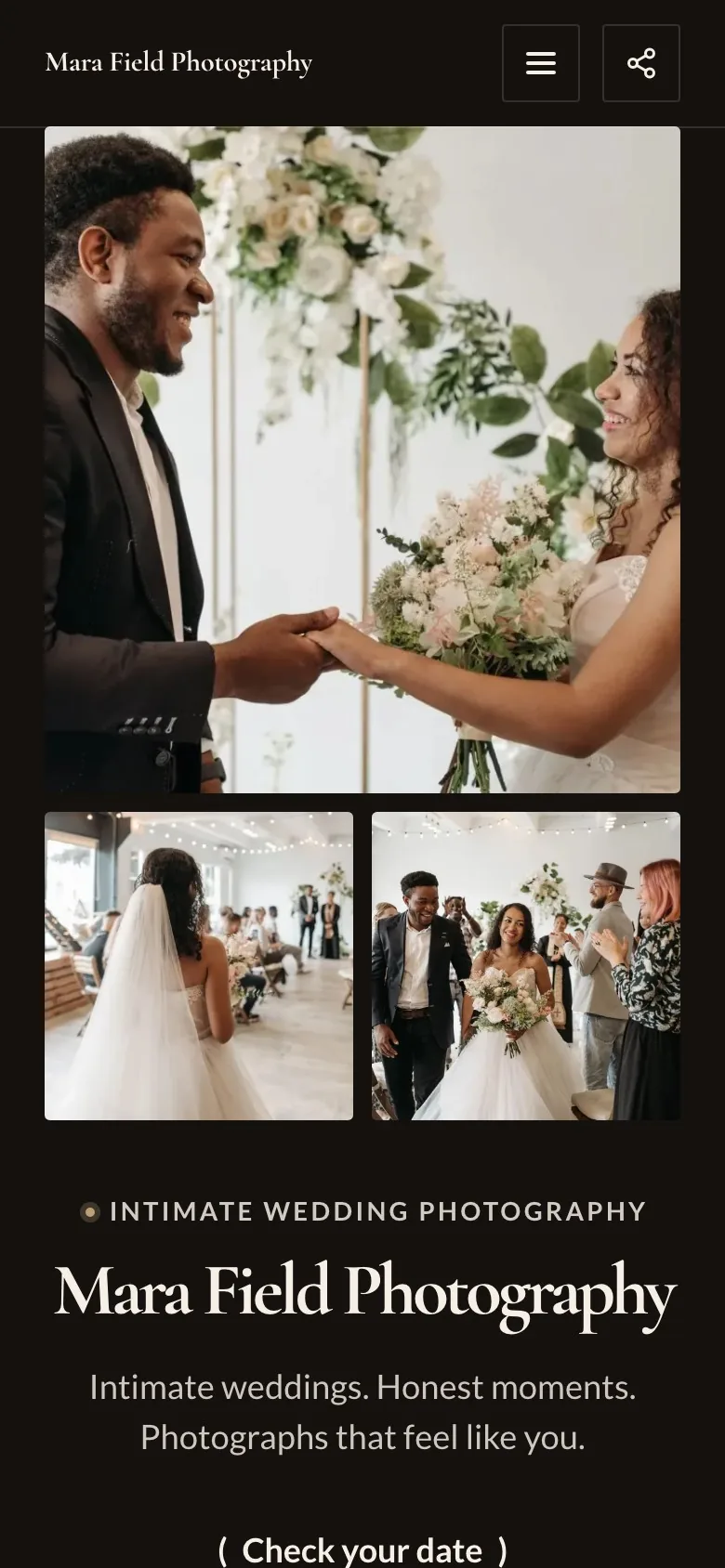
Customer view
Show work that supports the decision.
A portfolio-led website gives your photography room to explain what you do. Pick a starting layout that suits your business, then replace the example content with your own.
Actual Shovva screen. Fictional example business.
One page or several?
Most small businesses don’t need a website with lots of separate pages. Visitors arriving from your social media want to see everything quickly, so a single, well-ordered website often works better: intro, offers, photos, reviews, questions, contact.
What does help is each offer having its own address. That way you can send someone straight to one service or product, and search engines can list each one separately. On Shovva, your website reads top to bottom like one page, and every product, service, event and membership also has its own page that Google can find.
Choose one main action and test it
Pick the next step that matches your main offer, and label the button with what will happen: “Book a session”, “Shop the collection”, “Get tickets” or “Tell me about your project”. A specific label tells people what to expect.
Shovva’s example websites show different ways to arrange a business website, from Form Pilates’ timetable to Mara Field’s portfolio. Tell Shovva what you do and it builds a finished website in a matching look; add your own photos and details, then preview it on a phone, tablet and computer. See how it works.
Questions people ask
What pages does a small business website need?
Fewer than you’d think. A home section that explains what you do, your offers with prices, photos, reviews, common questions, and contact details and policies cover what most visitors need. Separate pages for each offer help people and search engines find them directly.
Should I put prices on my website?
Yes, for anything with a set price. Prices are one of the first things people look for, and leaving them out usually means more messages and fewer bookings. For custom work, give a starting price or explain what changes it.
What should the homepage of a small business website say?
What you do, who it’s for and where, in the first line, followed by your main offer and a button to book or buy. The rest of the story can come further down.
Do I need a privacy policy on my website?
If you collect personal details such as names, emails or bookings, most countries’ privacy laws expect you to explain how you use them. Check your country’s guidance (in the UK, the ICO’s advice for small organisations).