
What digital products sell for a small business?
A good first product usually comes from questions people already ask you. If clients keep asking how you plan their week, how you edit your photos or what you’d recommend for beginners, that’s a product.
- Templates and planners: price lists, meal plans, budgets, content calendars, wedding timelines.
- Guides and workbooks: a beginner’s guide, a recipe collection, an aftercare guide, a training plan.
- Presets and creative files: photo presets, brushes, sewing patterns, printable art, beats.
- Short courses: a few videos that teach one thing, such as a skill or a routine.
Choose the one closest to the work you already do. A personal trainer’s 4-week plan sells to people who already trust their advice; a random e-book doesn’t.
Pick a small problem you can solve well
“A weekly meal-planning worksheet for busy families” is easier to explain and buy than “the ultimate lifestyle bundle”. Write down who it’s for, what it helps them do and how much effort it takes them.
A download can support a task. Don’t promise earnings, health results or anything else that depends on more than the file.
Show a draft to a few people in your audience and ask them to use it. Their questions show you what instructions are missing before you put it on sale.
How to price a digital product
You only make a digital product once, so its price isn’t about your time per sale. Price it by how useful it is and what similar products cost.
- Look at what comparable files sell for, and how yours is more specific or more complete.
- Price it below your one-to-one service, so it’s an easy first purchase for people not ready to book you.
- Bundle related files together for a higher price, rather than discounting a single file.
Remember payment fees on small amounts. On Shovva, the Free plan has no monthly fee and Shovva takes 10% of each sale; Pro is £15 a month with a 2% fee, and Premium is £29 a month with no Shovva fee. Stripe’s card fees apply on every plan, and its fixed fee per payment matters more on a £5 file than a £50 one. See pricing.
Prepare the files for a real customer
Use clear file names and a simple folder structure. Include a short “start here” page explaining how to open and use everything. Check the files on another device and in the software buyers are likely to use.
- Say the file type and any software needed.
- Make the text readable at a normal size.
- Remove private information, draft notes and spare pages.
- Check every link works and that you have the rights to everything included.
- Keep a dated original so you know which version you sold.
If a template needs a paid app, say so before checkout. Nobody should find an unexpected requirement after buying.
Write a product page that makes the contents real
Say what’s inside, who it’s for and how it helps. Show an accurate preview, not a collage of tiny unreadable pages, and make clear what’s included and what’s just in the photo.
For example: “A 12-page PDF with a weekly planner, a shopping list template and a filled-in example. Prints at A4. No editable design file included.” That tells a buyer exactly what they get.
Say what buyers can do with it (personal use only, or use in their own business) and what support you give. If future updates aren’t included, don’t imply they are.
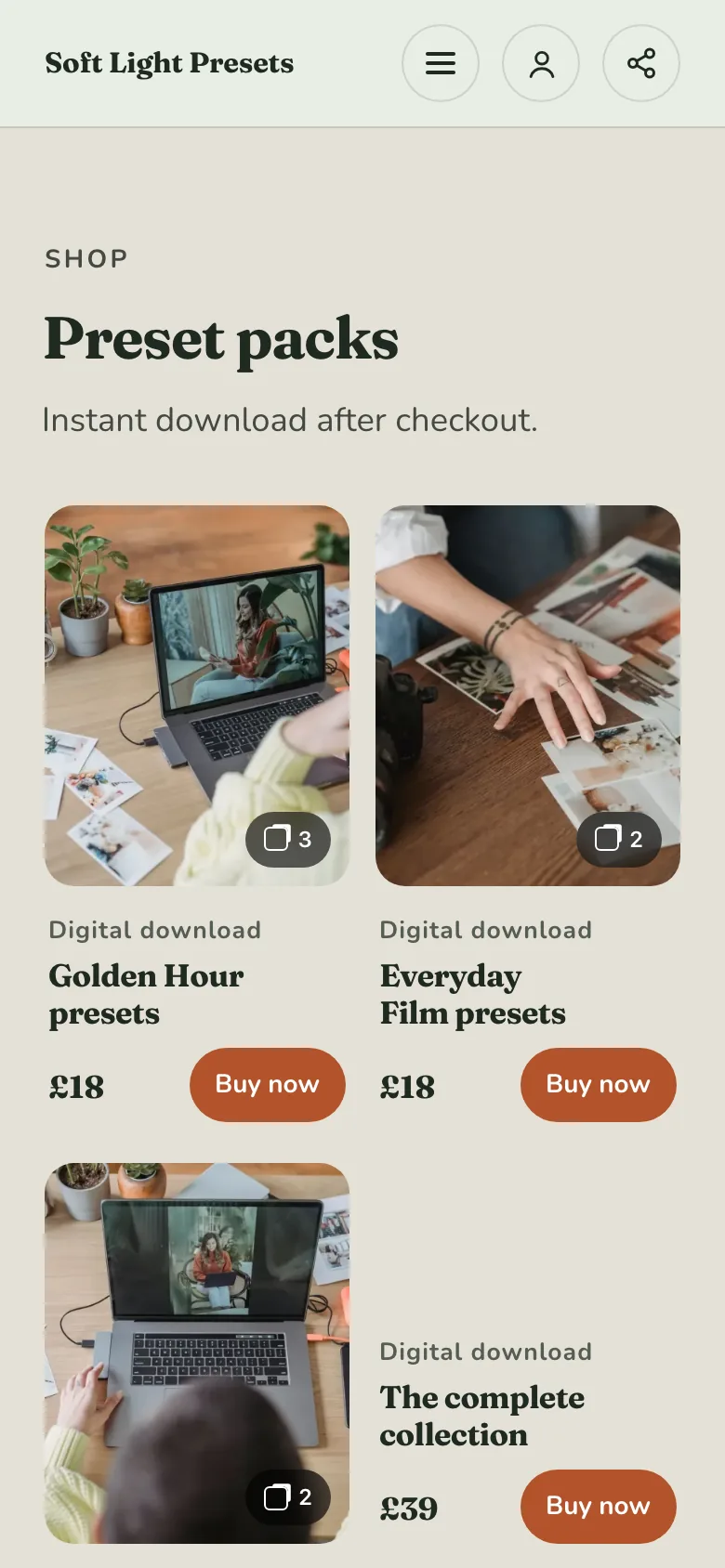
Customer view
Give the download a proper shop window.
Soft Light Presets shows each preset pack with a preview, what it is, the price and a Buy now button, and says the download comes straight after checkout. See the Soft Light Presets example.
Actual Shovva screen. Fictional example business.
Check purchase, delivery and support
Set up the download in Shovva, attach the file and complete payment setup. Choose how many times each buyer can download it (3, 5, 10 or 25) and how long their link lasts (7, 30, 90 or 365 days). Check the product in the live customer view. See Shovva for digital sellers and selling products and downloads.
Use a test route to check what happens after purchase, and make sure the file opens. A successful upload doesn’t prove the whole journey works.
Tell buyers how to contact you if they can’t get the download. Don’t promise a file can never be copied or shared.
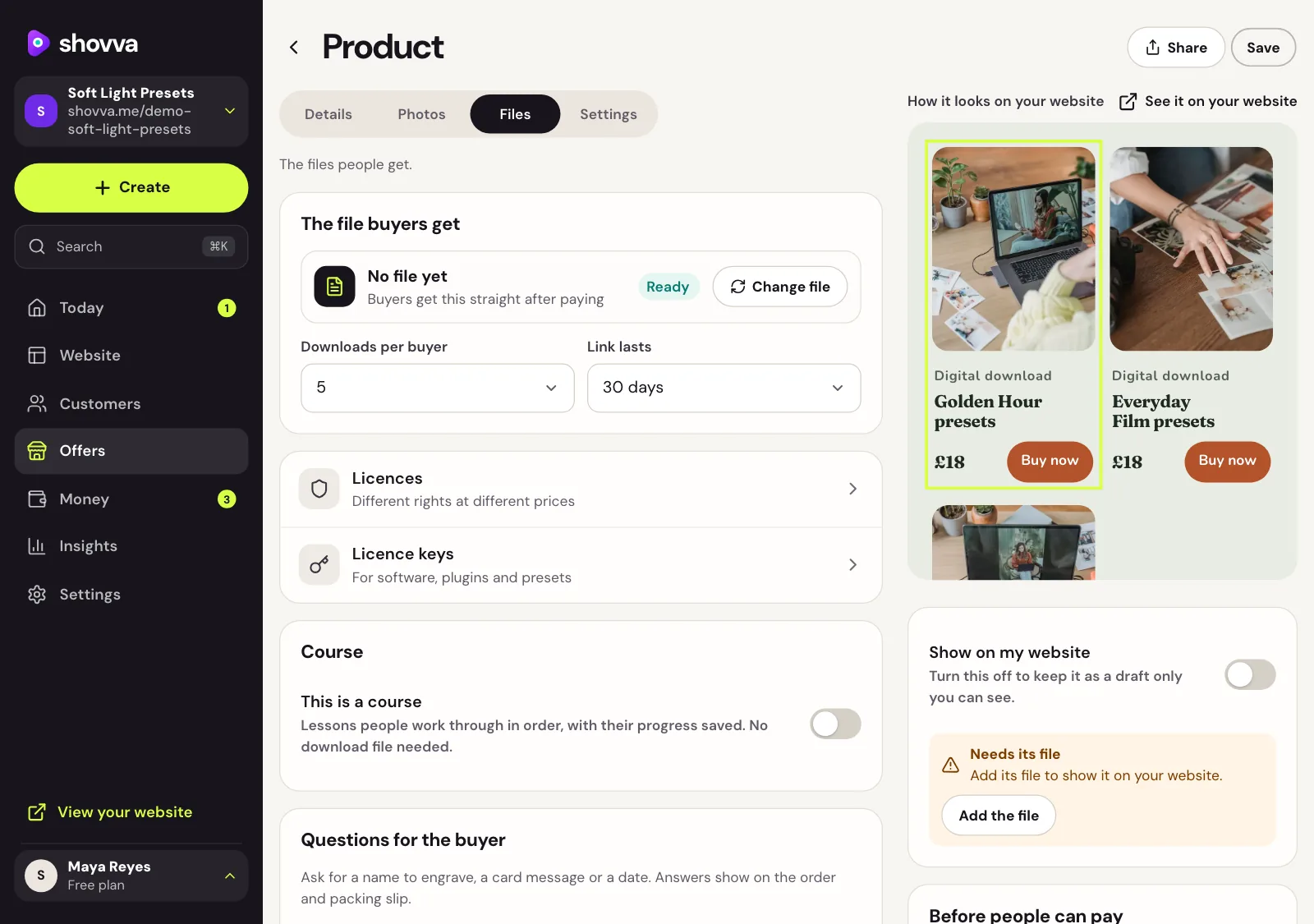
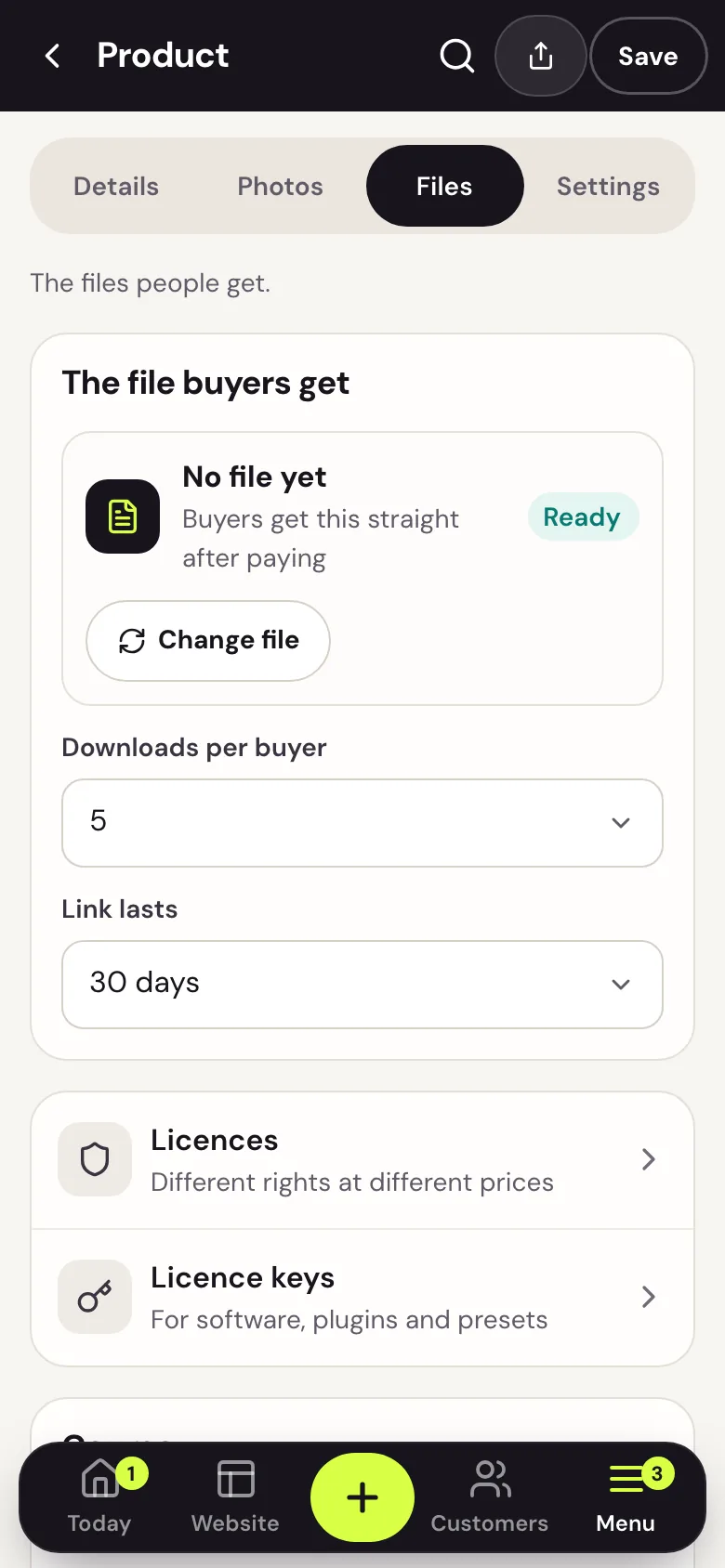
Owner dashboard
Decide how buyers get the file.
On a download’s Files tab, attach the file buyers get, then choose the downloads per buyer and how long the link lasts. This example has no file attached yet, so Shovva keeps it off the website until one is added.
Actual Shovva screen. Fictional example business.
Make the terms clear and launch a small version
Explain delivery, use and support before purchase. Don’t assume a digital product means no refunds are ever due: buyers’ rights depend on where they live and how you sell. In the UK, start with the official distance-selling guidance; elsewhere, check your consumer protection rules, and get advice if you’re unsure. Selling digital products to buyers in other countries can also bring tax rules, so check yours as your sales grow.
Launch to the audience whose problem it solves: your mailing list, your clients and your social followers. Note questions about format, contents or access, and improve the instructions when several people hit the same issue.
Questions people ask
What is the easiest digital product to sell?
Usually a template, checklist or short guide based on something your customers already ask you about. It’s quick to make, easy to explain, and sells to people who already trust your work.
Do I need a big audience to sell digital products?
No. A small audience that trusts you, such as existing clients, buys more readily than a large one that doesn’t. Start with the people you already serve, and offer the product alongside your services.
How are digital products delivered to buyers?
On Shovva, buyers get their download straight after checkout, with a link that works for the number of downloads and the time you choose. You don’t need to email files by hand.
Can I sell digital products and services on the same website?
Yes. Many owners sell a download as a smaller first purchase next to their main service, such as a training plan beside personal training or an aftercare guide beside treatments. On Shovva, downloads, bookings and products all sit on one website.